Fix a manual journal on an inventory or COGS account
A manual journal typed straight into Xero or QuickBooks on your inventory, cost of goods sold, accrued purchases or a clearing account makes the books agree without fixing why they disagreed. SKU.io keeps those accounts. Every amount on them should come from a transaction in SKU.io, so a journal that forces them to match hides the real problem, and the same problem comes back next month.
The No provider journals on SKU-owned accounts check in the Close checklist names each of these journals for the month, with its amount and a link to it in your accounting provider. This guide reads the row, fixes the cause in SKU.io, and shows how to make the check block the close.
Before you begin
- Start the close on the month, so its checklist is graded. See close a month.
- Connect Xero or QuickBooks and copy its journals into SKU.io:
- Xero: the journals are copied when you set up the inventory reconciliation.
- QuickBooks: run Pull documents once on Accounting → Reconciliation → Documents. The nightly sync keeps them up to date after that.
- Map your inventory, cost of goods sold and accrued purchases accounts in your nominal code mappings. Those, your clearing accounts and any inventory or COGS overrides on products, warehouses and channels are the accounts the check watches.
Steps
-
Go to Accounting → Close, and click the month's tile on the Year board.
-
In the Close checklist, find No provider journals on SKU-owned accounts under Sync & reconciliation. Its summary counts the journals and the amount they posted to those accounts, for example
1 manual journal on SKU-owned accounts, 2,500.00 posted to them.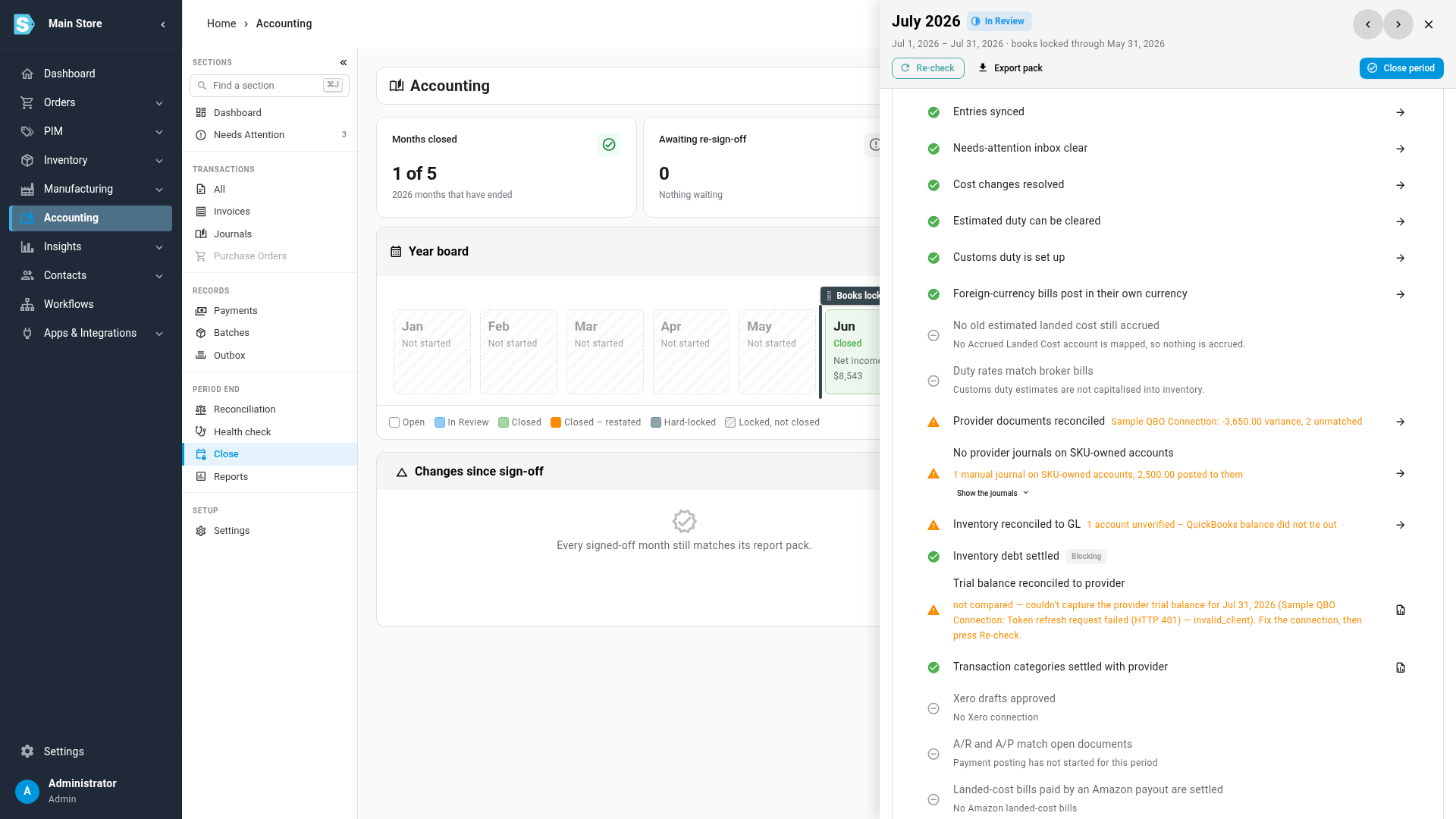
-
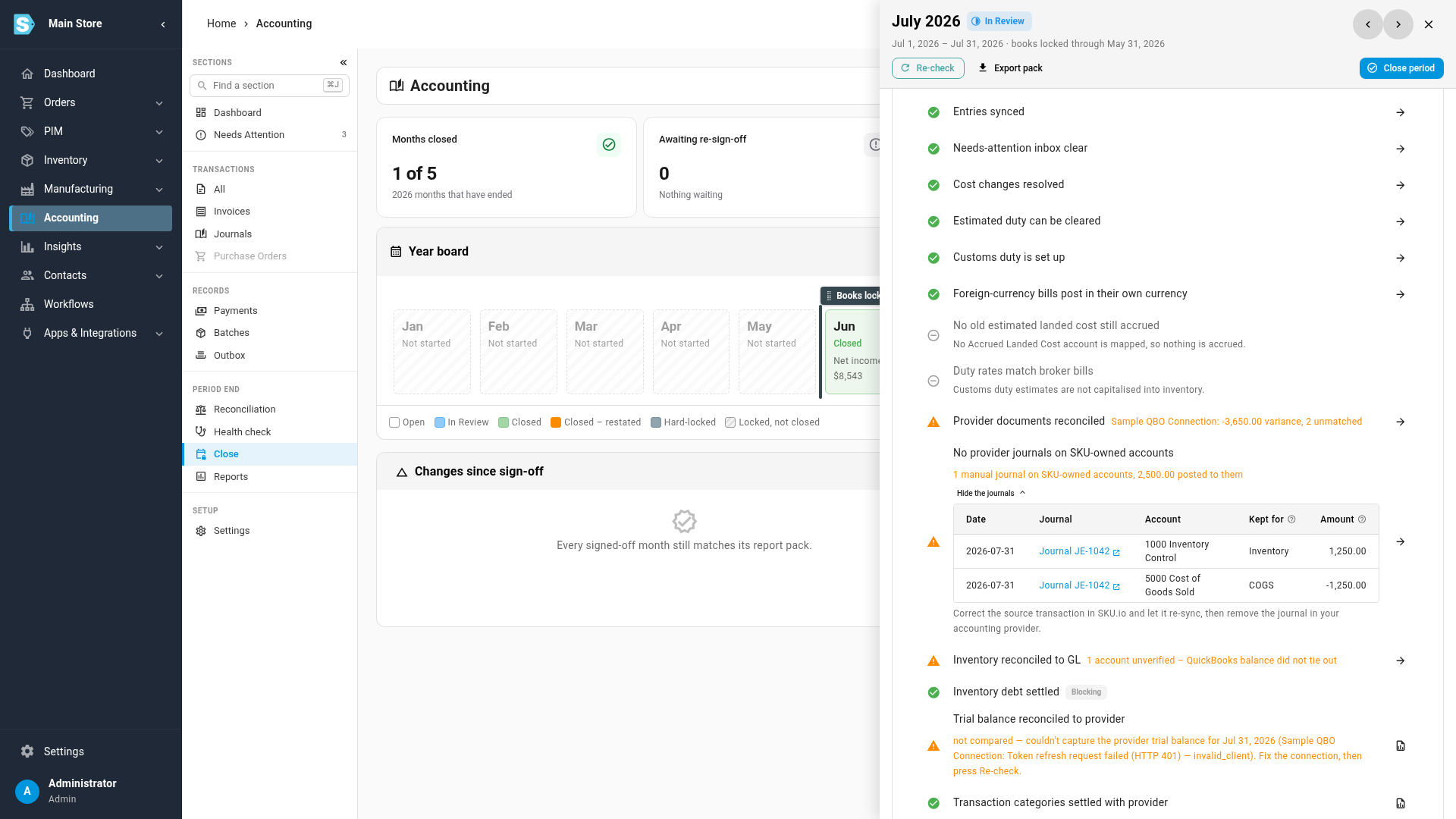
Click Show the journals. Each line is one account a journal touched: its date, the journal, the account, why SKU.io keeps that account (Kept for: Inventory, COGS, Accrued purchases or Clearing) and the Amount. Debits are positive and credits negative. A journal on two kept accounts shows two lines.
-
Click the journal to open it in Xero or QuickBooks, and read what it was for.
-
Fix the cause in SKU.io, not in your accounting provider. Don't post a second journal to reverse it. Find the transaction the journal was making up for, correct it in SKU.io, and let it sync. For example:
- A stock value that drifted: count the stock or adjust it in SKU.io.
- A cost that was wrong on a receipt or a bill: correct the cost in SKU.io.
-
Delete or void the journal in Xero or QuickBooks.
-
Back on the month, click Re-check. The row passes once no such journal is left in the month.
Make the check block the close
By default the row is a warning: you can close the month over it once you acknowledge it.
-
Go to Accounting → Settings → Close.
-
Under Reconciliation policy, turn on Provider journals on SKU-owned accounts block the close, then click Save.
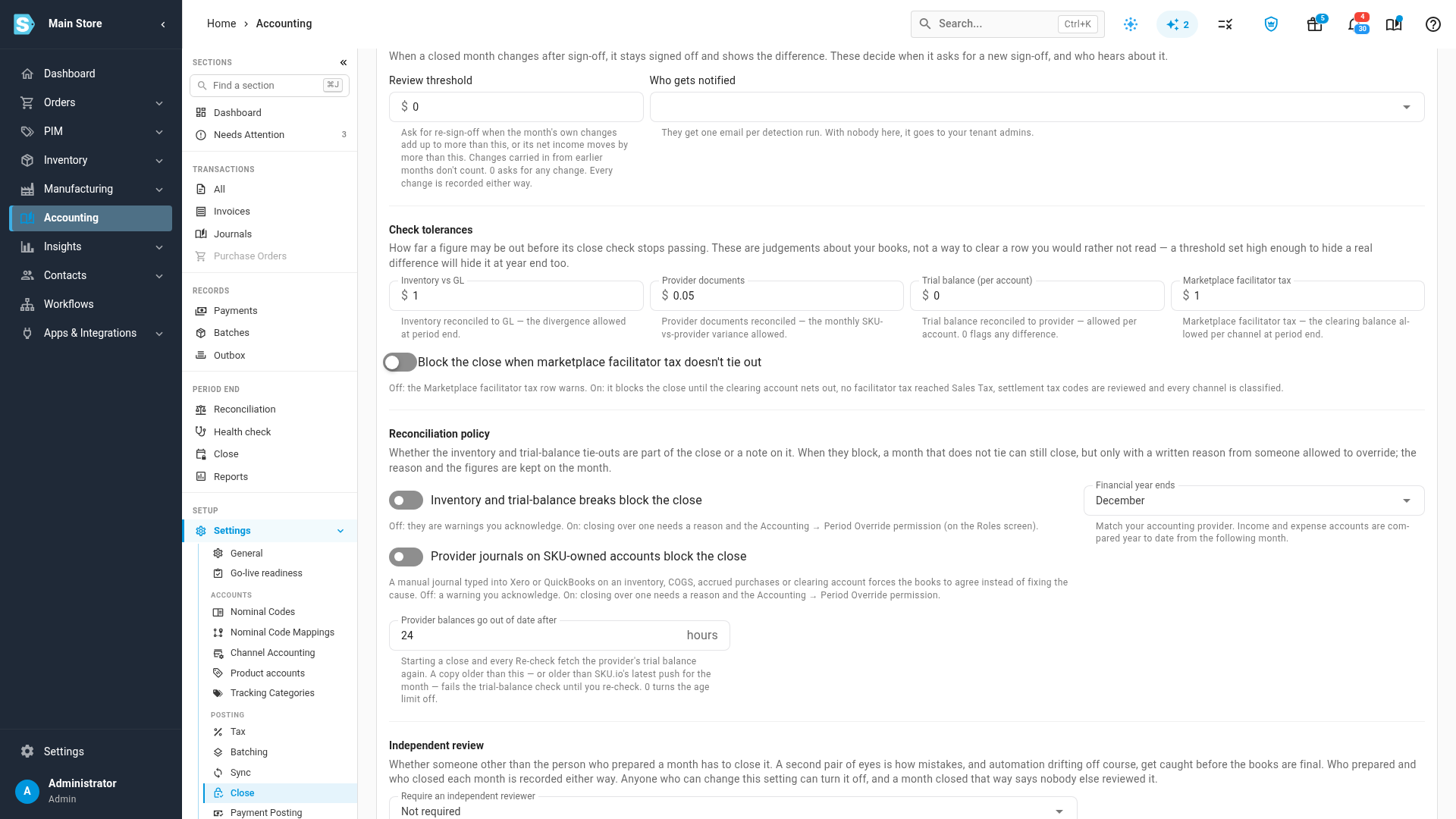
With it on, the row blocks the close. A journal you mean to keep, such as an agreed year-end inventory true-up, can still be closed over with a written reason by someone who holds Accounting → Period Override. The reason and the journals are kept on the month.
What the row tells you when it can't check
- The copy doesn't cover the month. The row lists the journals it found, and says the month can't be proven clean, for example when QuickBooks history was never downloaded, or the Xero copy is behind. Re-sync on Accounting → Reconciliation → Documents.
- A QuickBooks journal can't be read. It is counted as not checked. Re-sync it, and its accounts, so SKU.io can read its lines.
- The journals were never copied. The row is skipped, with the reason.
Journals SKU.io sent itself, such as an inventory reconciliation adjustment, are never listed. Manual journals on other accounts, such as payroll, rent or depreciation, aren't either.
The same journals also stay visible in Trial balance reconciled to provider: activity booked directly in Xero is set aside there, but a manual journal on an account SKU.io keeps is not, so it shows as a difference on that account.
Next steps
- Fix a failing check: the loop for any failing row.
- Close checks reference: everything the row measures.
- Reconcile with your accounting provider.