Cap the month's inventory adjustments
Every month some stock gets corrected: a damaged unit written off, a count that came in short, a reconciliation journal that brings your accounting provider back in line. A few corrections are normal. When they add up to a large share of your inventory, month after month, something upstream is broken: receipts booked late, counts skipped, a sales channel that isn't sending stock back. Many accounting firms hold this to 2% of inventory value and treat a month over it as a process problem, not a one-off.
The Inventory adjustments within cap check measures it for you. It adds up the month's inventory true-ups and compares the total with the value of your inventory at the end of the month.
Before you begin
- Changing the cap needs the Accounting → Manage Settings permission.
- To close a month over an enforced cap, or to post a reconciliation journal that takes a month past it, you need Accounting → Period Override.
What counts toward the cap
The corrections you choose to post, the ones that change how much stock your books say you hold without a sale or a purchase behind it:
- inventory adjustments, including write-offs for damaged or expired stock
- stock-take variances
- reconciliation journals posted with Reconcile ongoing
Amazon FBA and AWD adjustments, the stock Amazon reports lost, damaged or found in its warehouses, don't count by default: you didn't choose to post them. The check still shows their total, so they stay in view. To count them too, turn on Include marketplace-reported adjustments in the cap.
Each document counts at its own size, so a 400 write-off and a 300 write-on in the same month add up to 700, not 100. Revaluations don't count: they re-cost stock you still have rather than correct how much you have.
Set the cap
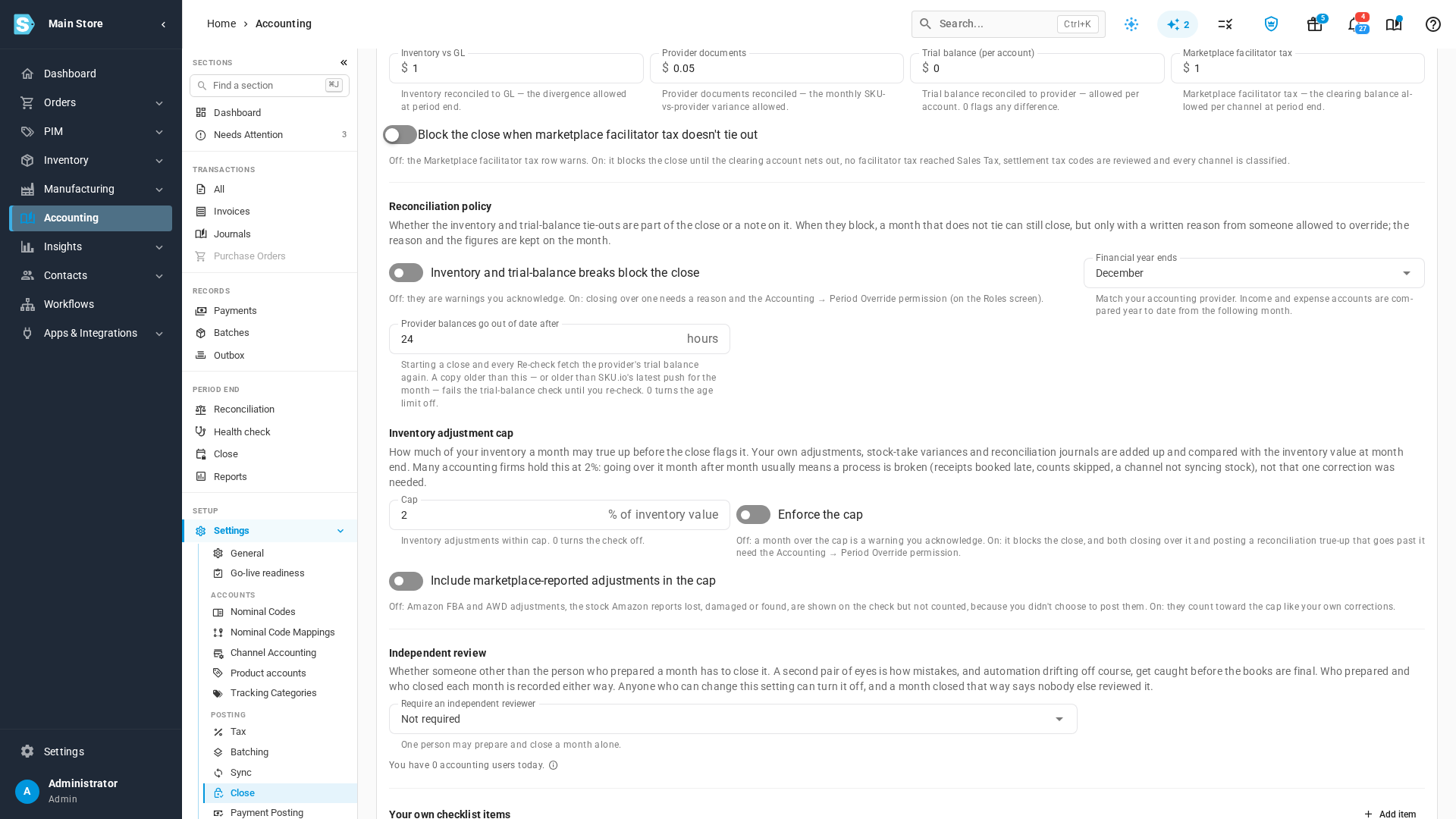
- Go to Accounting → Settings → Close.
- On the Month-End Close card, find Inventory adjustment cap.
- In Cap, enter the share of inventory value a month may true up. It starts at 2. Enter 0 to turn the check off.
- Leave Enforce the cap off to make a month over the cap a warning you acknowledge at close. Turn it on to make it block the close instead.
- Leave Include marketplace-reported adjustments in the cap off to count only your own corrections. Turn it on to count Amazon FBA and AWD adjustments as well.
- Click Save.
Months already in review pick up the change the next time you click Re-check.
Read the check on a month
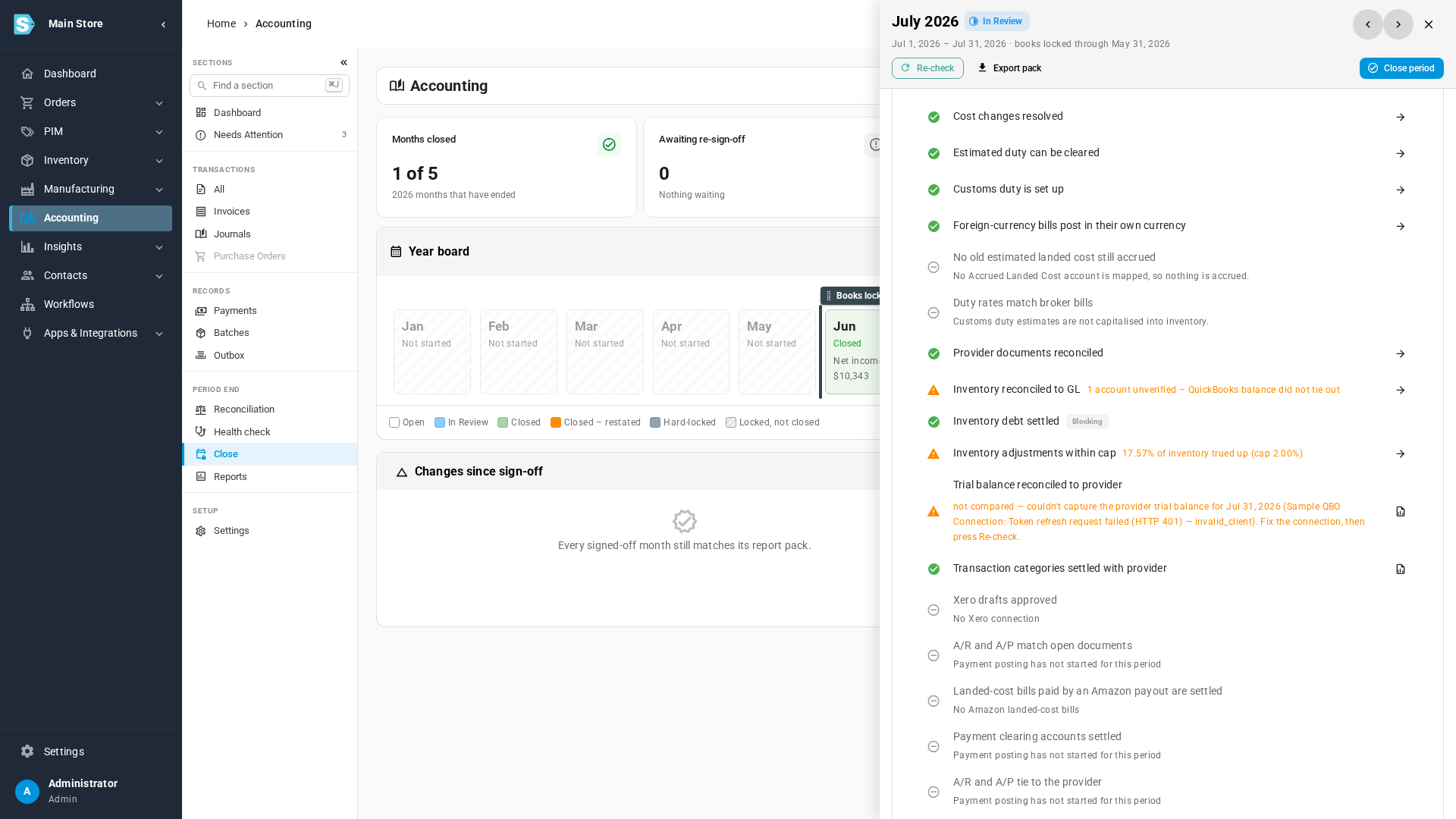
- Go to Accounting → Close and open the month.
- In the Close checklist, find Inventory adjustments within cap under Sync & reconciliation. Its row reads, for example, 17.57% of inventory trued up (cap 2.00%). When the month has FBA or AWD adjustments the cap left out, the row also says how much, for example · 1,250.00 of FBA/AWD adjustments not counted.
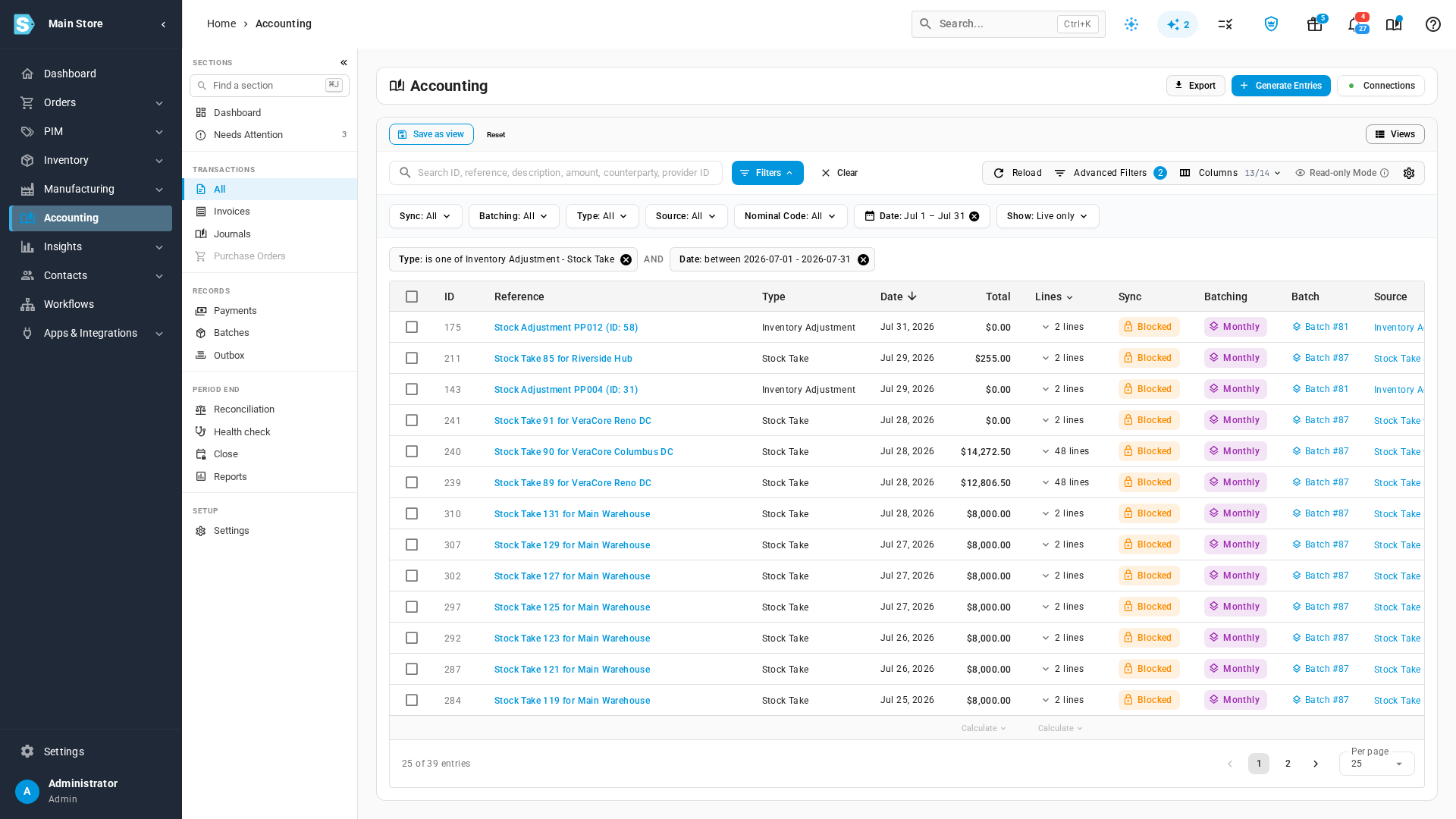
- Click the row's arrow to open the month's adjustment entries: the inventory adjustments and stock takes the check added up (and the FBA/AWD adjustments, when you include them).
A month that goes over once usually has a reason you can name, such as a year-end count. A month that goes over every time is the signal to look at the process behind the corrections rather than keep posting them.
Close a month that is over the cap
- Cap not enforced: tick the row when you close the month, like any other warning.
- Cap enforced: the row blocks the close. Someone with Accounting → Period Override can still close the month by writing a reason. The reason, the total, the inventory value and the percentage are recorded against the month as they stood when it closed.
See the cap before you post a reconciliation journal
When you click Reconcile ongoing on Accounting → Reconciliation → Inventory, the dialog shows where the month stands with the journal you are about to post included: Within the inventory adjustment cap or Over the inventory adjustment cap, with the total, the share of inventory value and the cap.
With the cap enforced, Post adjusting journal stays disabled for anyone without Accounting → Period Override when the journal would take the month over the cap. Hover over it to see why.