See which ad drove a sales order
When a shopper clicks one of your ads and then buys, SKU.io records which ad platform sent them: Google Ads, Meta, Microsoft Ads or TikTok. You can show it as a column on the sales orders list, filter the list to the orders a platform drove, and see it on each order.
Before you begin
- The ad click has to reach SKU.io with the order. Where that happens depends on the channel; see Where the ad click comes from.
- SKU.io starts recording ad sources when an order is imported. Orders imported before your store passed the ad click on show no Ad Source.
Show the Ad Source column
-
Go to Orders → Sales Orders.
-
Click Columns in the toolbar, type Ad source in the search box, and click Ad Source to turn it on. The column is hidden until you do.
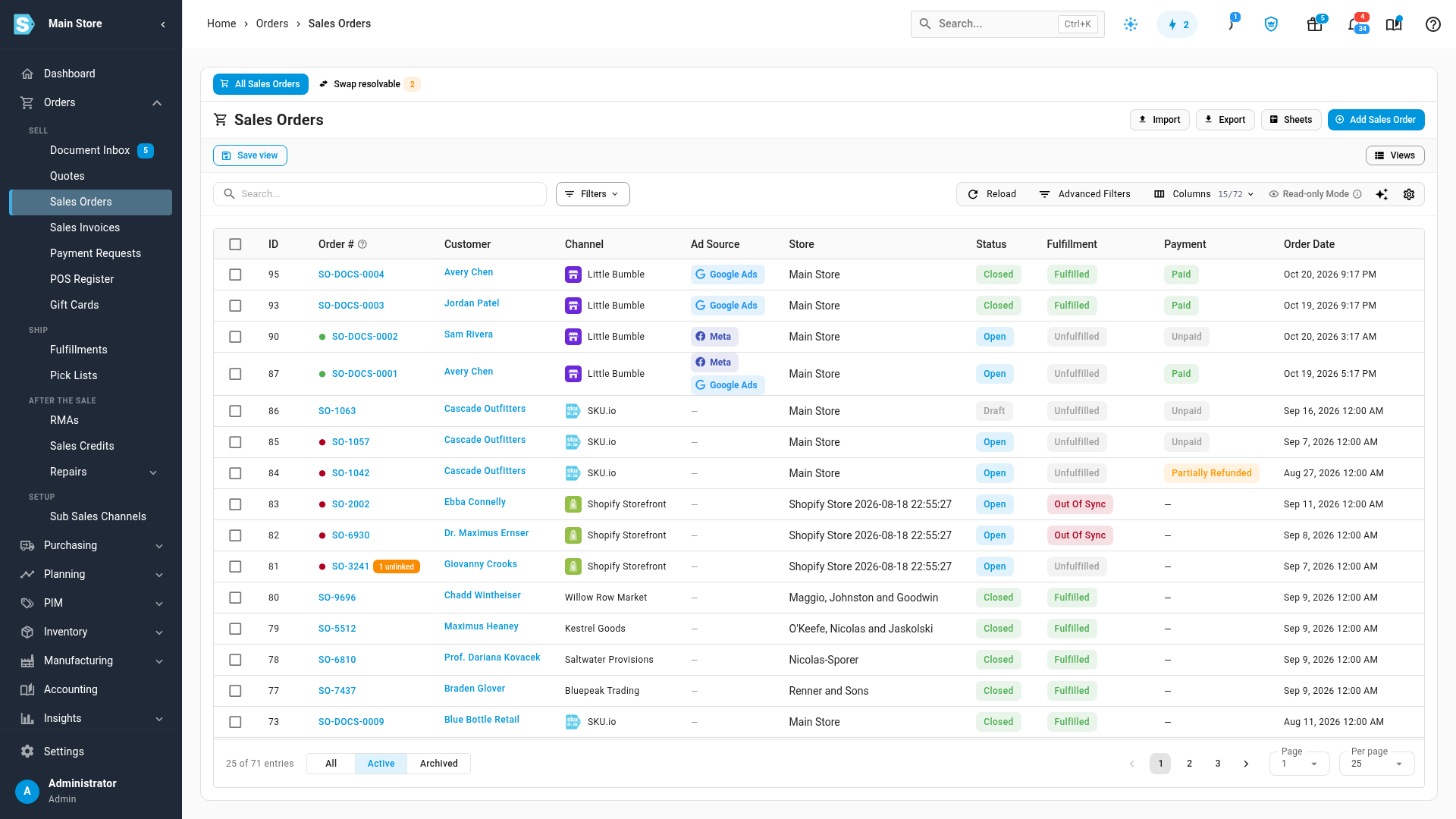
Each order an ad drove shows a chip for its platform. An order clicked through two platforms shows both, the last one clicked first. An order with no ad click shows a dash.
Filter the list by ad platform
-
Click Advanced Filters in the toolbar.
-
Type Ad source in Search filters... and click Ad Source.
-
Pick a platform in the value box: Google Ads, Meta, Microsoft Ads or TikTok. Pick Any ad for every order an ad drove, or No ad for the rest.
-
Click Apply Filters.
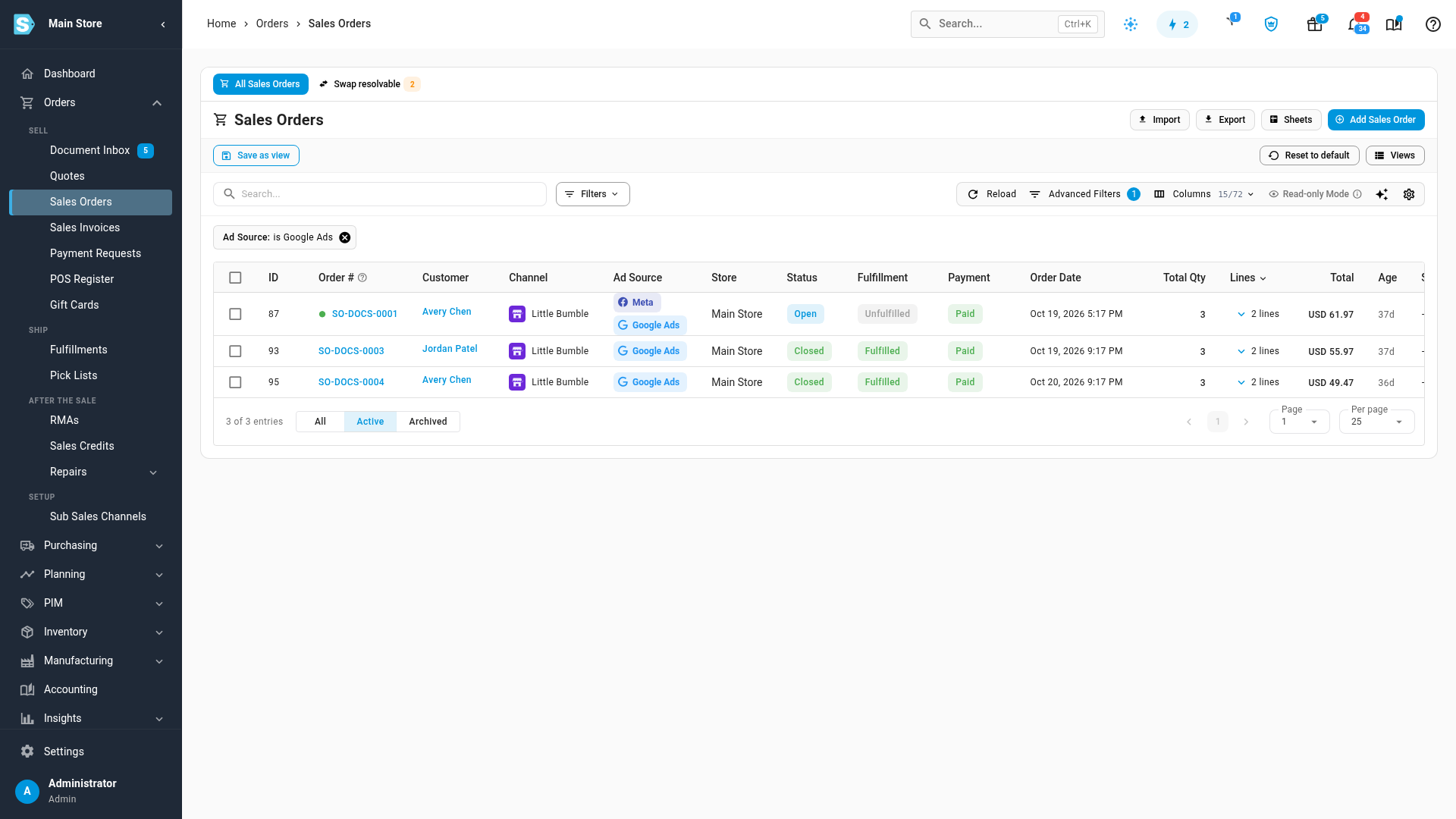
An order clicked through Google Ads and then Meta matches both Google Ads and Meta. To keep the filter, click Save as view.
Read an order's Ad Source
Open an order. When an ad drove it, the details card shows an Ad Source row with a chip for each platform, the last one clicked first.
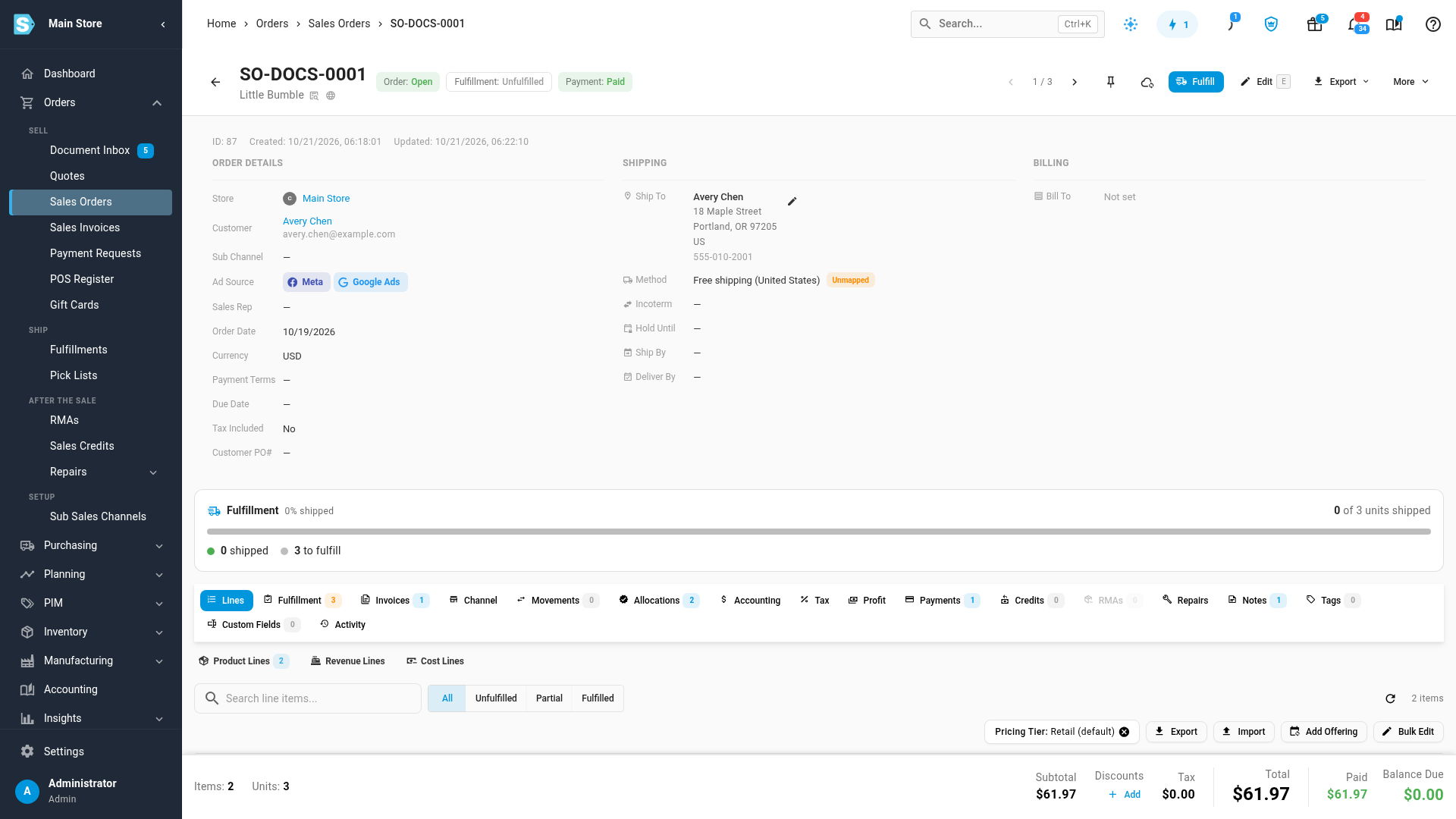
Hover a chip to see:
- Last ad clicked before the order or Clicked earlier, not last, when the shopper clicked more than one platform.
- How SKU.io knows: Ad click recorded on the order, with the kind of click ID in brackets, or Credited in the platform's conversion report for an order that was credited from the platform's own report.
- Source, where the shopper came from, such as
google / cpc / pmax: the site, the kind of traffic and the campaign.
Where the ad click comes from
| Channel | How the ad click reaches SKU.io |
|---|---|
| SKU.io Storefront | Recorded automatically. The store keeps the ad click for 90 days and adds it to the order at checkout. |
| Shopify | Save the click ID on the order as a note attribute, named for the click, such as gclid for Google Ads or fbclid for Meta. Your theme or a tracking app does this at checkout. |
| Marketplaces (Amazon, eBay, Walmart, TikTok Shop) | Never. Marketplaces don't share ad clicks, so these orders show no Ad Source. Use the marketplace's own ad reports. |
Facebook and Instagram add the same click ID to ordinary links people share, not only to ads. A Meta chip means the shopper arrived from Facebook or Instagram. When your Meta ads add tracking tags to their links, the chip's Source line says whether the click was paid.
Next steps
- List columns and filters: every column and filter on the sales orders list.
- Order detail reference: everything on an order's page.
- How channel orders sync: how orders arrive from your sales channels.
Video transcript
When a shopper clicks one of your ads and then buys, SKU.io notes which ad platform sent the sale. To find it, open Orders in the menu on the left side of the screen, and then choose Sales Orders.
The Ad Source column starts hidden. Click Columns, and search for the column by its name. Switch it on in the list, and then close the menu. Each order an ad drove now shows its platform, such as Google Ads or Meta. A dash means no ad click was recorded.
To list only those orders, click Advanced Filters. In the dialog, search for Ad Source, and choose that filter. Then open the value box, and pick a platform, such as Google Ads. Click Apply Filters, and the list keeps only those orders. Any ad lists every order an ad drove, and No ad lists the rest.
Open an order, and its Ad Source appears on the details card, just under the customer. When a shopper clicked more than one ad, every platform is listed, with the most recent first. Hover a chip for the details, such as whether it was the last click, and the campaign.
This sale came from your own online shop, which records each ad click at checkout. Marketplace orders never carry an ad click, so they show a dash.