Choose what you share
Sharing is your choice, and it only controls whether SKU.io may ask to feature your results in a case study or quote. Your plan works exactly the same whatever you choose, and nothing is published without your OK on the actual draft.
Before you begin
- You need administrator access, or the Success Plan → Manage permission.
Choose whether SKU.io may ask
-
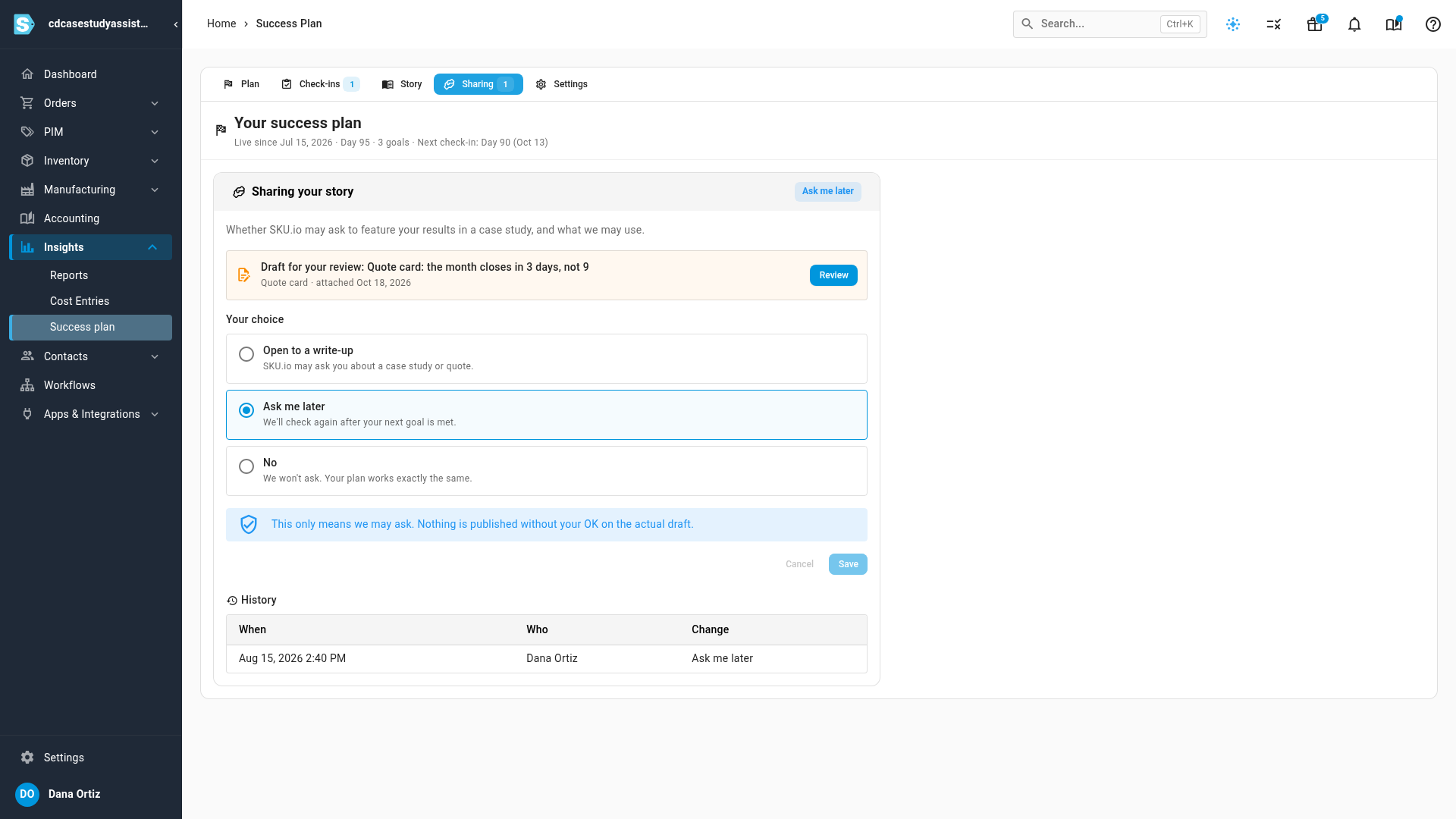
Go to Insights → Success plan and click the Sharing tab. The card shows your current choice at the top right.
-
Under Your choice, pick one:
- Open to a write-up: SKU.io may ask you about a case study or quote.
- Ask me later: SKU.io checks again after your next goal is met.
- No: SKU.io won't ask.
-
If you chose Open to a write-up, tick what SKU.io may use under What we may use:
- You may name our company. Otherwise you're described by your industry only.
- You may use our figures. Only figures shown on your plan, with their source.
- You may use my name and title. Otherwise quotes are credited to your role.
-
Click Save. Every change is listed under History, with when and who.
When you meet a goal, SKU.io asks once whether you'd share a sentence about it. You can answer, say not now, or say never.
Review a draft
When SKU.io prepares a case study or quote for you, it appears on the Sharing tab as Draft for your review.
-
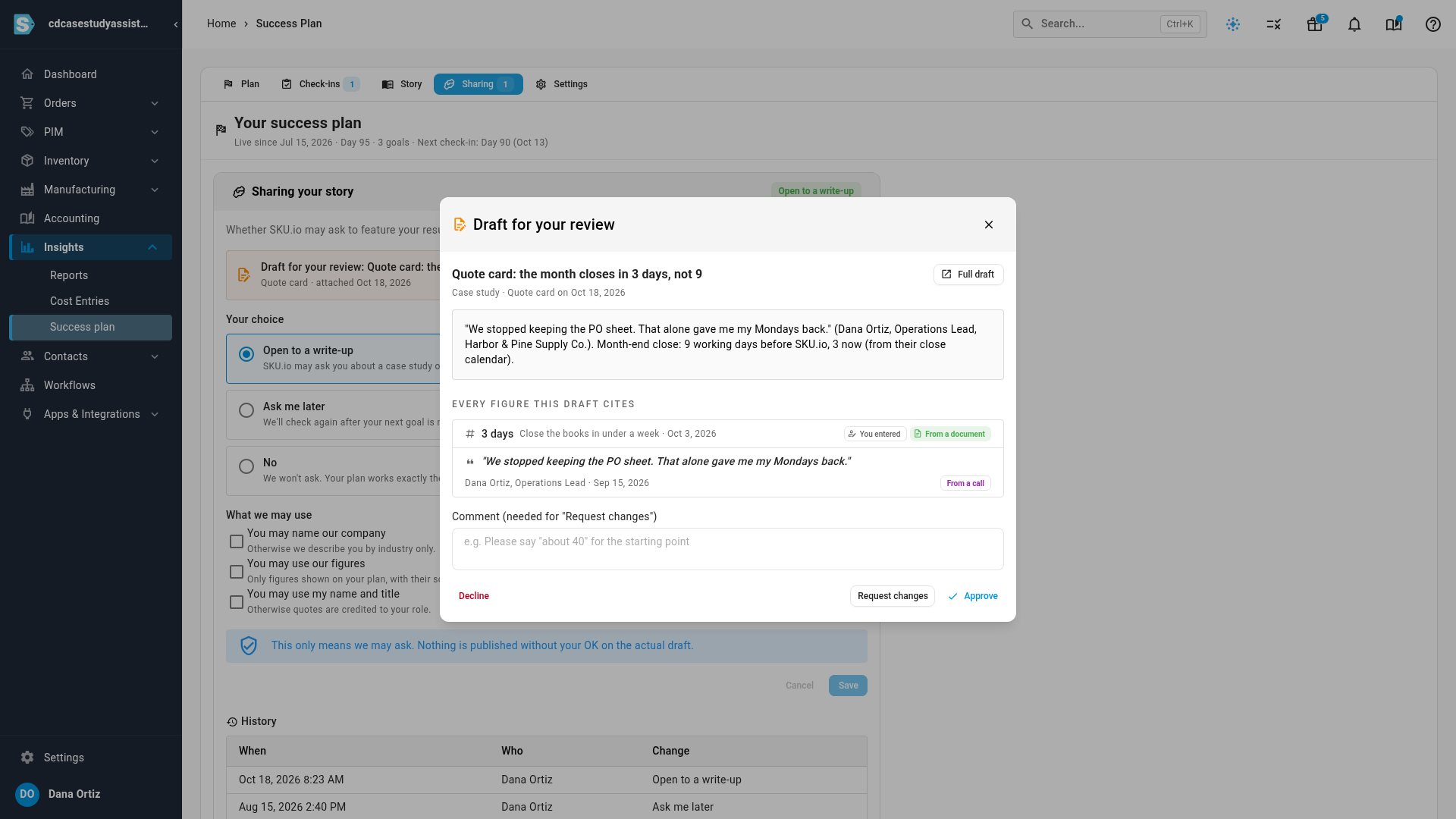
Click Review. The draft opens with its full text.
-
Check Every figure this draft cites. Each figure shows where it came from, such as You entered or Measured by SKU.io, and each quote shows where it was said.
-
Choose one:
- Approve: SKU.io may publish this draft as it is.
- Request changes: add a comment saying what to change.
- Decline: the draft won't be used.
If a figure or quote the draft cites changes after the draft was made, the review shows a warning, and SKU.io attaches an updated draft before you can approve it.
Next steps
Video transcript
To start, open the Insights menu in the sidebar, then click Success plan. Then click the Sharing tab at the top. This setting only controls whether SKU.io may ask to feature your results. Your plan works exactly the same whatever you choose. Open to a write-up means we may ask you about a case study. Ask me later means we check again after your next goal is met. No means we won't ask. Pick the one that fits your business, like Open to a write-up. Then click Save to keep your choice. Every change is kept in the history below, with who made it. Nothing is published without your OK on the actual draft. Any draft SKU.io sends you is listed above your choices. Click Review, and read the draft from start to finish. The draft lists every figure it cites, and where each one came from. Quotes are never edited; each one appears word for word. Then choose. Approve it, decline it, or request changes with a comment. Nothing goes out until you approve.