Answer check-ins and keep your story
Check-ins are one or two quick questions at set points after you go live: two weeks, day 30, day 90, day 180 and year-end. Your answers update the goals SKU.io can't measure and go into your story.
Before you begin
- You need administrator access, or the Success Plan → Manage permission. Anyone with that access can answer, not only the person who set the goals.
- SKU.io also asks in the app when a check-in is due. You can answer there or on the Check-ins tab.
Answer a check-in
-
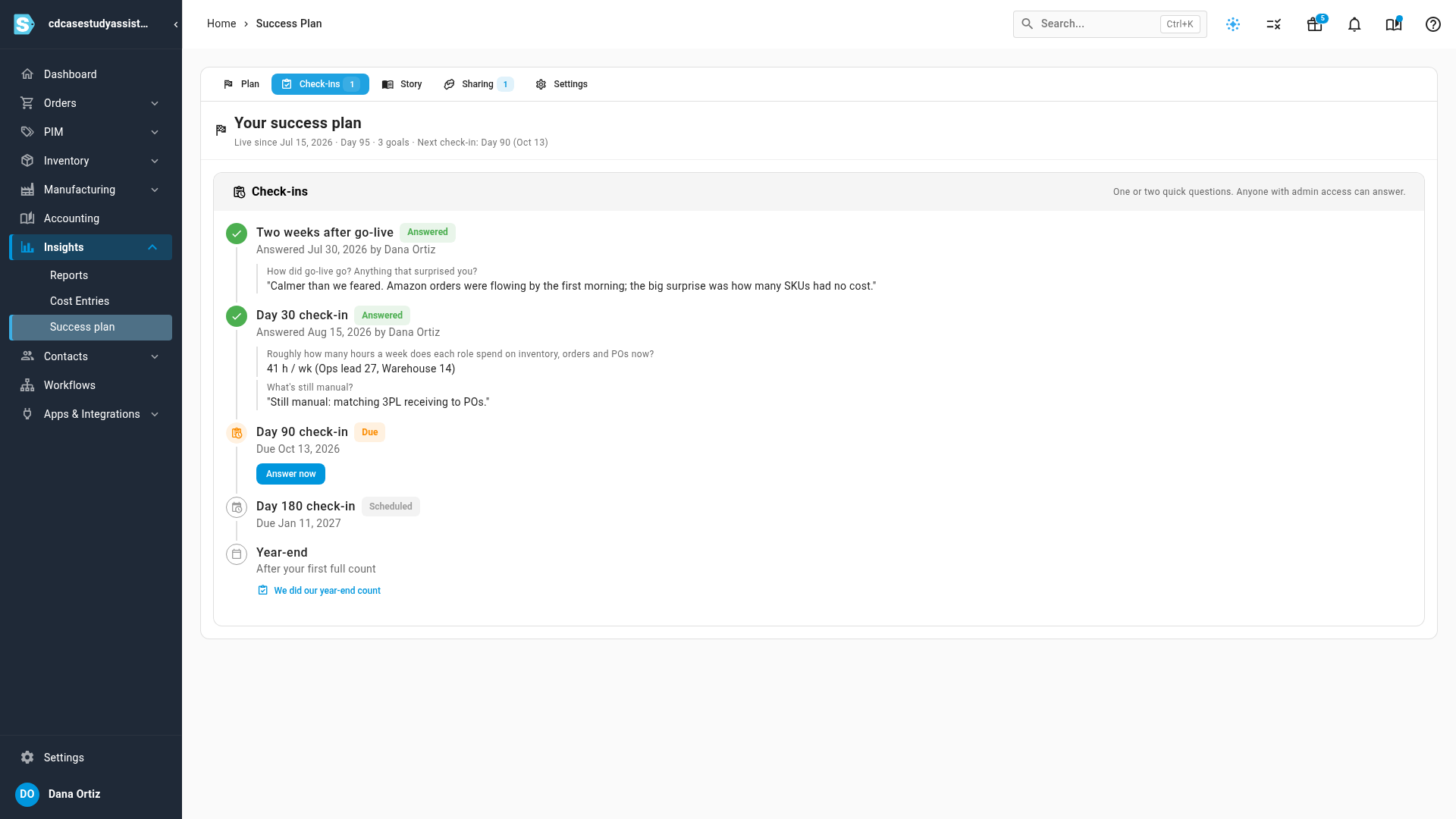
Go to Insights → Success plan and click the Check-ins tab. Each check-in shows Answered, Due or Scheduled, and the answered ones show who answered and what.
-
On the check-in that's due, click Answer now.
-
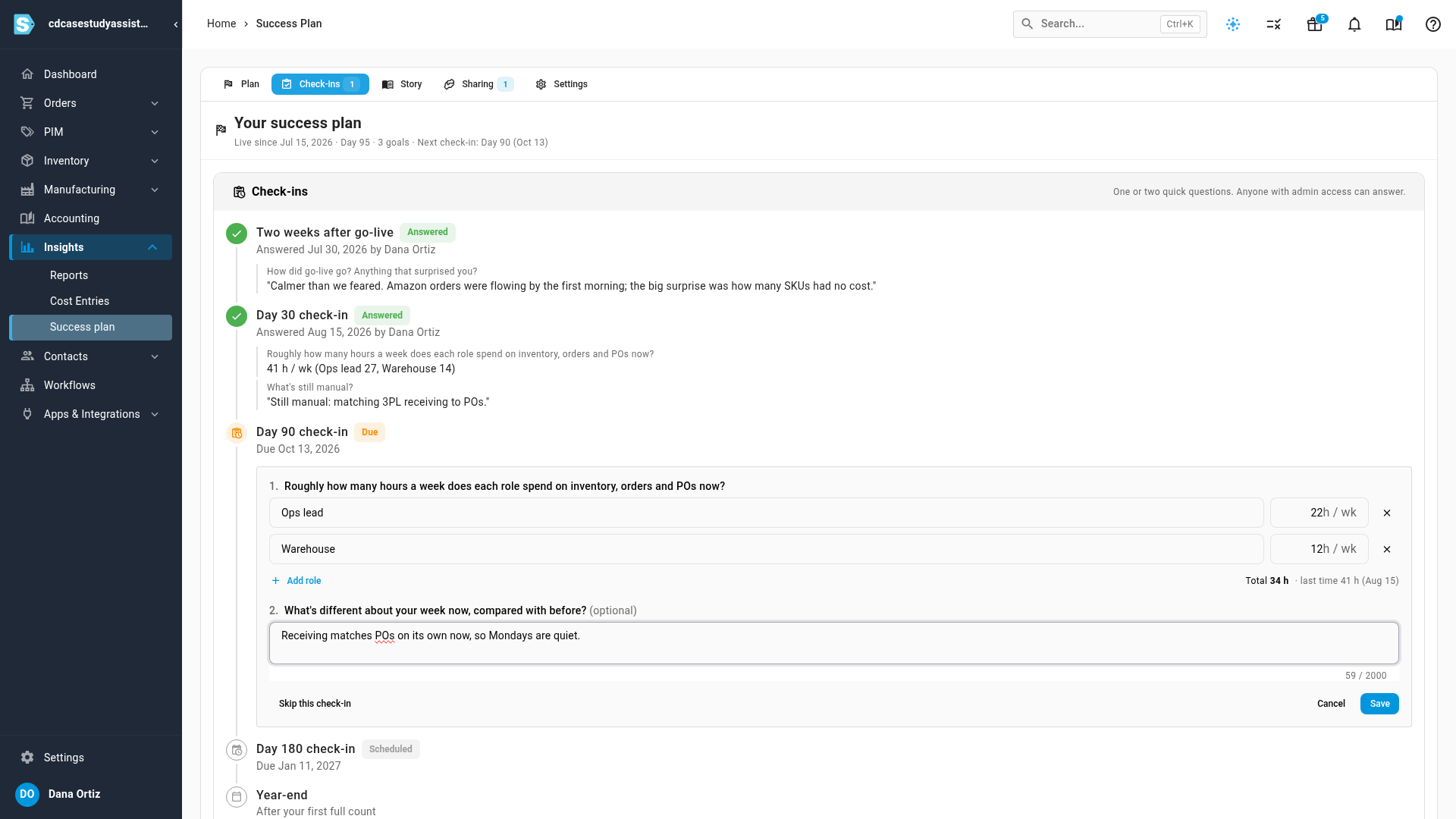
Answer each question. For hours, enter each role and the hours a week it spends now. Click Add role for another role. The total and your last answer show underneath.
-
Answer the written question, such as What's different about your week now, compared with before?, in your own words. It's optional.
-
Click Save. Your figures update the goal, and your words go into your story.
Not a good moment? Click Skip this check-in. The next one stays on the schedule.
The year-end check-in
The year-end check-in comes after your first full count. When you've done it, click We did our year-end count on the Check-ins tab.
Your story
The Story tab keeps what happened, newest first:
- Milestones SKU.io adds for you, such as going live, your first purchase order in SKU.io, your first order on a new channel, or a sales channel added.
- Goal entries when a goal is met or a new value is recorded.
- In your words: what you wrote in check-ins.
- Quotes from calls with the SKU.io team, with where they came from.
- Changes to your sharing choice.
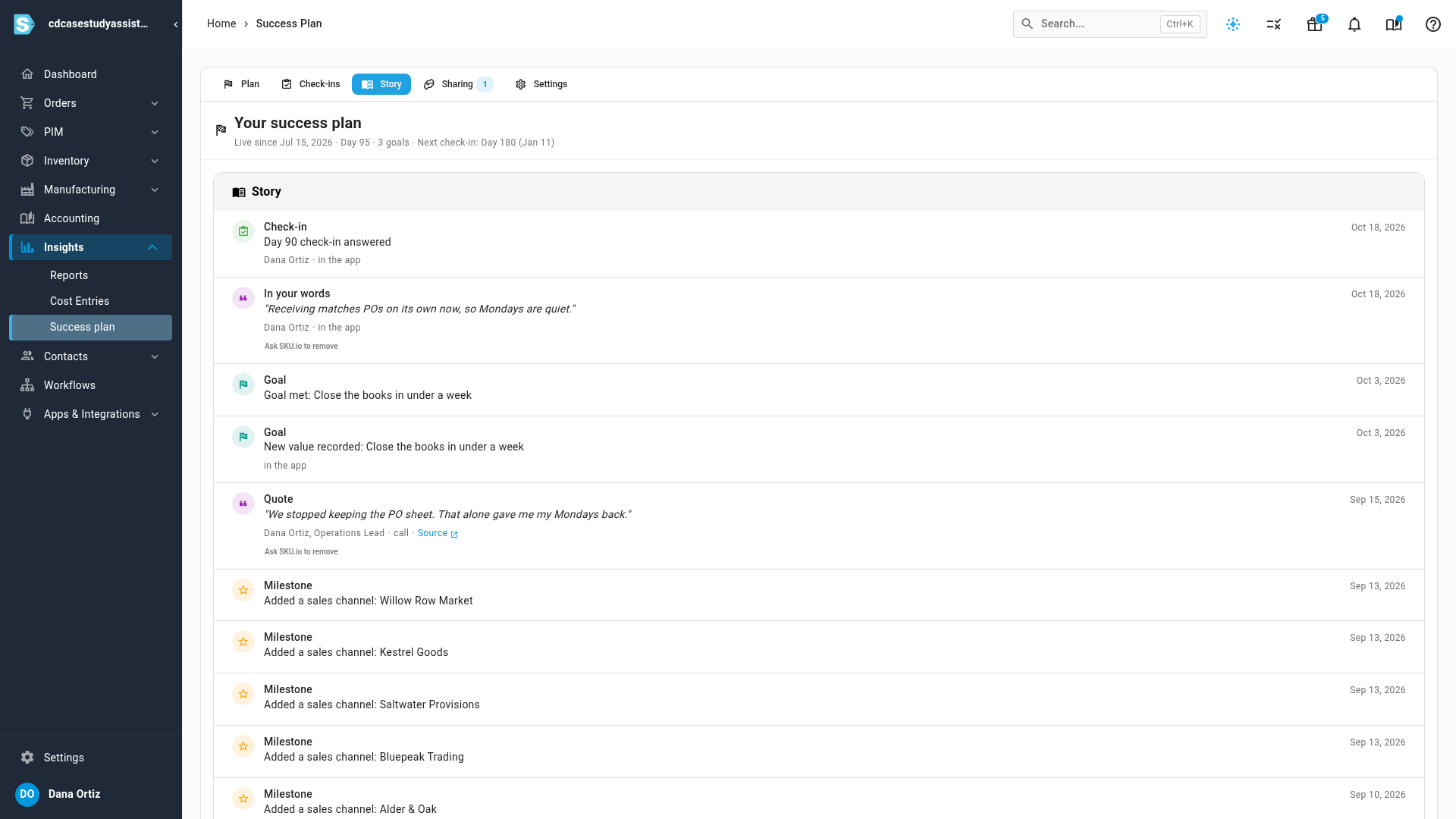
Your words stay yours. To withdraw something you said, click Ask SKU.io to remove under it, and it won't be used.
Next steps
Video transcript
Open Insights, then Success plan, and click the Check-ins tab. Each check-in is one or two quick questions. Anyone with admin access can answer. On the check-in that's due, click Answer now. Enter the hours each role spends on inventory, orders and purchase orders each week. Then say what's different about your week, in your own words. The words are optional, but they're the part people remember. Click Save when you're done answering. Your hours update the goal, and your words join your story. The next check-in stays on the schedule. The Story tab lists what happened, newest first. Milestones are added for you, like your first purchase order in SKU.io. Your own words appear here too. Changed your mind about something you said? Click Ask SKU.io to remove under it, and it won't be used.