Change a kit or bundle's recipe over time
A kit or bundle's components change over time: a new insert, a bigger box, a component swapped for a cheaper one. The Composition section keeps every version as a dated revision, so you can see what was inside on any date. A change can start today, be scheduled for later, or correct what the recipe should have been in the past.
Before you begin
- The product is a kit or a bundle with at least one component. See Build bundles & kits in the Workshop.
- Every new component already exists as a product.
Open the recipe history
- Open the kit or bundle.
- In the section menu, click Composition.
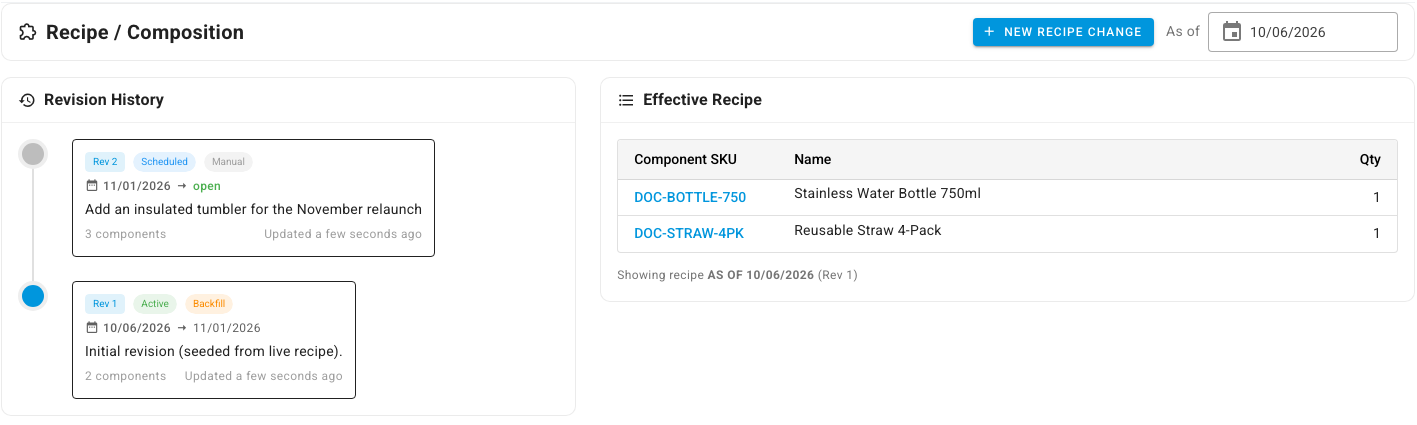
The Recipe / Composition page has two panels:
- Revision History lists every revision, newest first, with its number (Rev 1, Rev 2…), its status (Active or Scheduled), when it applies, its change summary and how many components it has. Backfill marks the first revision, which SKU.io records from the recipe the product already had.
- Effective Recipe lists the components that apply on the As of date, and names the revision they come from.
Change the recipe from today or a later date
-
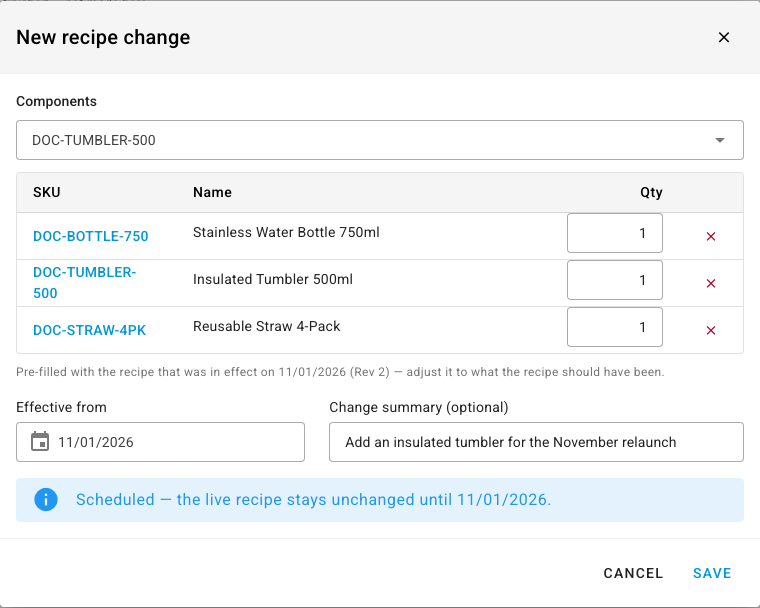
Click New recipe change. The dialog opens with the current components.
-
Add a component by searching for it by SKU or name. Remove one with the red ✕, or change its quantity.
-
Set Effective from:
- Today changes the live recipe now.
- A later date schedules the change. The dialog says "Scheduled — the live recipe stays unchanged until" that date.
If another revision already applies on the date you pick, the components reload with that revision's recipe, so you edit what would really be in effect.
-
Optionally, describe the change in Change summary (optional), for example
Add an insulated tumbler for the November relaunch. -
Click Save.
What you'll see: a scheduled change shows "Recipe change scheduled for" its date, and a new Scheduled revision appears in Revision History. The current revision now ends on that date. Early on the effective date, SKU.io makes the scheduled revision active and switches the live recipe over.
See what was inside on any date
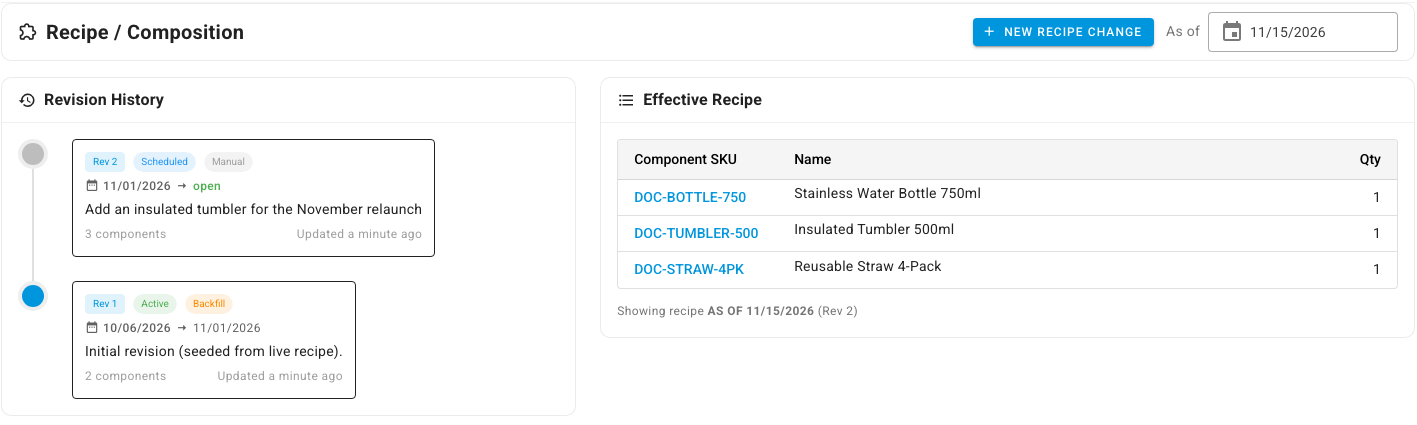
Change the As of date at the top of the page. Effective Recipe shows the components that applied on that day, and the revision they belong to, for example "Showing recipe AS OF 11/15/2026 (Rev 2)". Use it to answer "what did we ship in this kit last spring?"
Correct a recipe that was wrong in the past
If the recipe was wrong for a past period, record a change dated in the past. This is a correction to history, not a new change.
-
Click New recipe change.
-
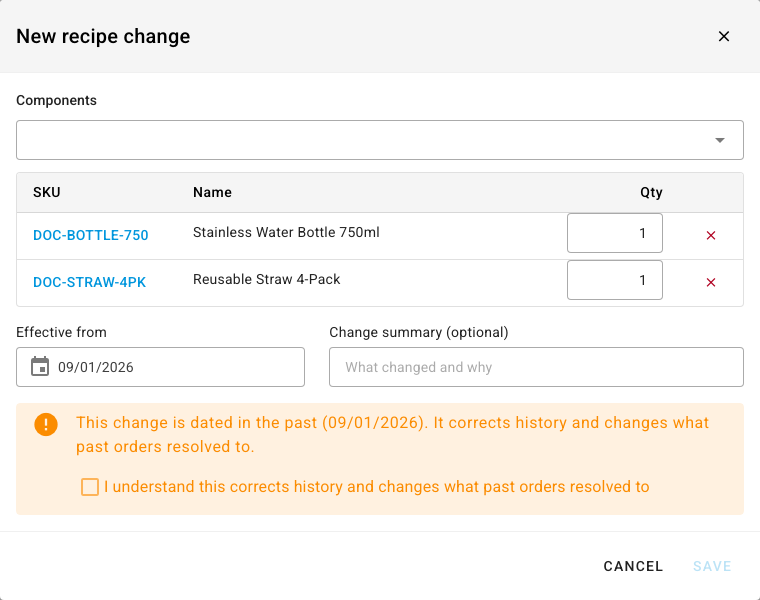
Set Effective from to the date the recipe should have started.
What you'll see: the components reload with the recipe that was in effect on that date, and a warning says the change "corrects history and changes what past orders resolved to".
-
Fix the components.
-
Tick I understand this corrects history and changes what past orders resolved to.
-
Click Save.
For a bundle, the dialog then lists the open orders placed under the old recipe. Bundles split into their components on each order, so those orders still hold the old components. SKU.io offers to rewrite the ones it can change safely, keeping each order's total the same. It skips orders that have started fulfillment, or that carry tax, discounts or credits on the bundle's lines.
Stock you've already built or shipped keeps the cost of the components it actually used. A recipe change only affects what's used from its effective date on, and, for a bundle correction, the open orders you choose to rewrite.
Next steps
- Kits vs bundles
- Kit & bundle component reference
- Create a recipe (bill of materials): versioned recipes for manufactured products.