Track economic nexus
Most US states require you to register and collect sales tax once your sales into the state pass a threshold, even if you have no presence there. The Economic Nexus report measures your sales and order count in each state against that state's threshold. It flags the states you've crossed and the ones you're approaching, so you can register before you owe back tax.
Before you begin
- You need permission to view Reports.
- The report covers the United States.
Open the report
-
Go to Insights → Reports, choose Sales Tax, and open the Economic Nexus tab.
-
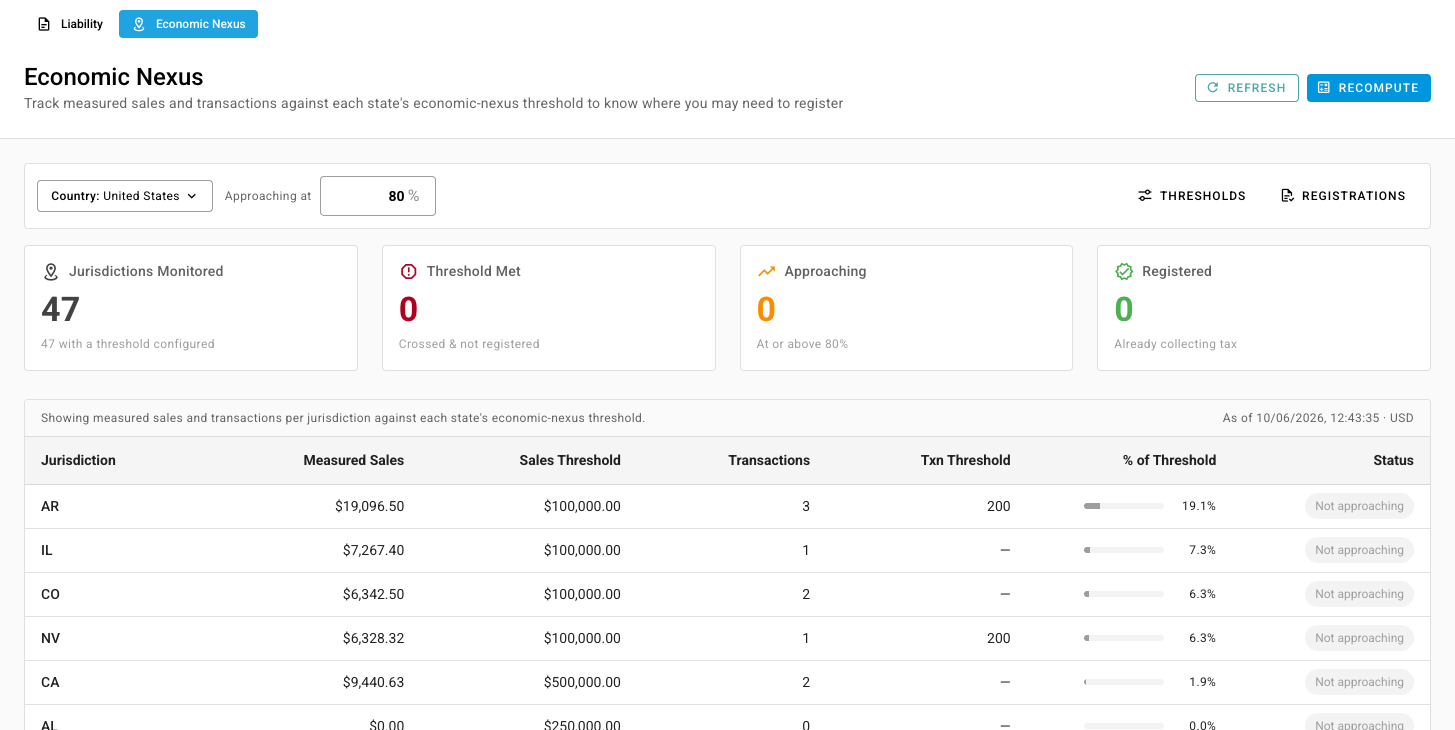
Click Recompute to measure your sales against the thresholds. Recompute runs in the background, so follow it in the job tray, then click Refresh. The time of the last measurement shows above the table.
Read the report
The cards count the states you're watching:
| Card | What it counts |
|---|---|
| Jurisdictions Monitored | States with a threshold set up |
| Threshold Met | States where you've crossed the threshold but aren't registered |
| Approaching | States at or above your warning level, but below the threshold |
| Registered | States where you've recorded a registration |
Each row shows a state's Measured Sales and Transactions next to its Sales Threshold and Txn Threshold, how close you are in % of Threshold, and a Status:
- Threshold met: register in this state.
- Approaching: you're at or above the warning level.
- Not approaching: you're comfortably below.
- Registered: you've recorded a registration, so the state isn't flagged whatever your sales are.
- No threshold configured: the state has no threshold to measure against.
To change the warning level, edit Approaching at. It's 80% by default.
Keep the thresholds current
SKU.io comes with each state's threshold. States change them, so check the ones you sell into against the latest published rules.
-
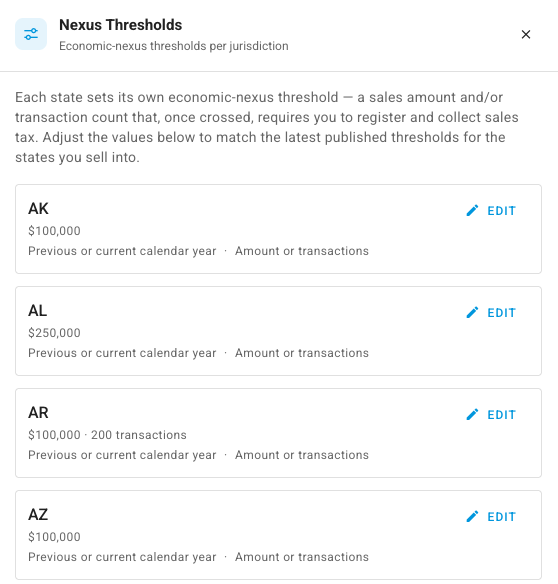
Click Thresholds. The Nexus Thresholds panel lists every state's threshold, measurement period and logic.
-
Click Edit on a state.
-
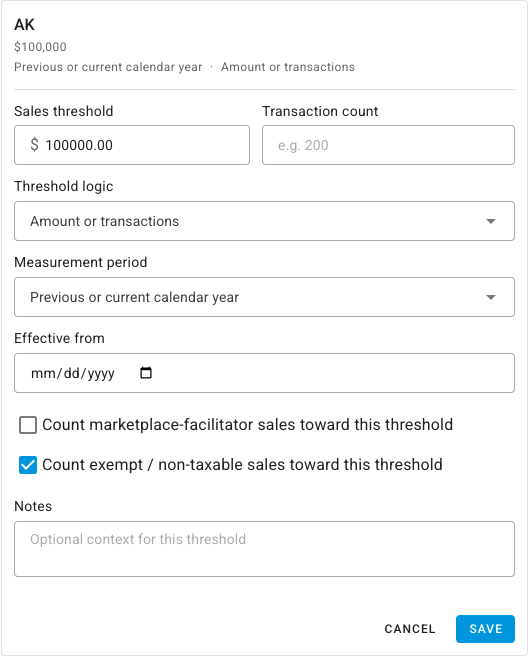
Set the Sales threshold and the Transaction count. Leave the count empty if the state has no transaction test.
-
Choose the Threshold logic: Amount or transactions if crossing either one counts, or Amount and transactions if you must cross both.
-
Choose the Measurement period: Rolling 12 months, Calendar year, or Previous or current calendar year.
-
Tick whether the state counts marketplace-facilitator sales and exempt / non-taxable sales toward its threshold. States differ on both.
-
Optionally set Effective from and add Notes, then click Save.
Click Recompute afterwards to measure against the new threshold.
Record where you're registered
-
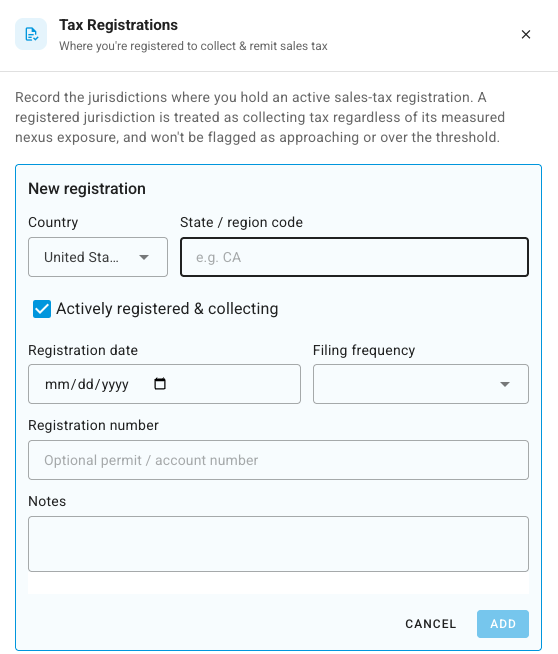
Click Registrations, then Add Registration.
-
Enter the State / region code, for example
CA. -
Leave Actively registered & collecting ticked while the registration is live.
-
Optionally add the Registration date, Filing frequency (Monthly, Quarterly or Annually), Registration number and Notes.
-
Click Add.
The state then shows a Registered chip and stops being flagged.
Next steps
- Read the sales tax liability report: the tax you collected in each state.