Add an insert to every order with a workflow
If you pack a thank-you card, a flyer or a free sample with every parcel, the insert should be on the order too, so it's allocated, picked, and its cost counts toward the order's cost of goods sold. The Add Order Line step does that for you: a workflow adds the product to each order just before the order is sent to its warehouse.
Before you begin
- You can create and edit workflows.
- The insert exists as a product with stock at the warehouses that pack it.
- Inserts are for warehouses you pack yourself. An order the sales channel has already shipped is skipped, because the insert could never ship with it.
Build the workflow
-
Go to Workflows and click New Workflow.
-
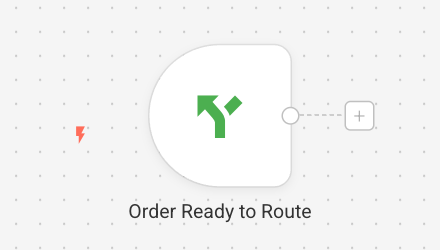
Click Add first step… and choose Order Ready to Route from Triggers. It runs just before an order is sent to a warehouse, which is the last moment a line can join it. See Route orders to the right warehouse for what the trigger does.
-
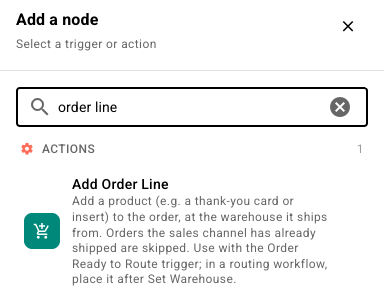
Click + after the trigger and choose Add Order Line from Actions.
-
Fill in the step:
Field What to enter Product SKU The insert's SKU, such as thank-you-card.Quantity How many to add. Usually 1.Unit price What the customer pays. Leave it at 0for a free insert. Its cost still counts toward the order's cost of goods sold.Only when the order ships from The warehouses that pack the insert. Leave it empty to add the line wherever the order ships from. Dry run Turn on to report what would happen without changing any order. 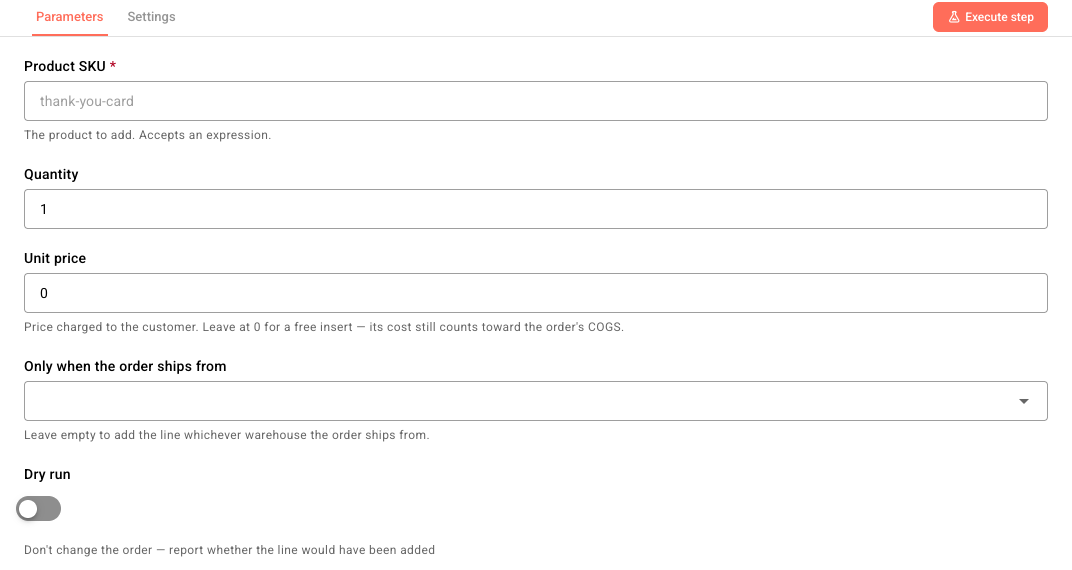
-
Name the workflow, for example Thank-you card in every order, and click Publish.
If the same workflow also picks the warehouse, put Add Order Line after the Set Warehouse step, so the insert is added at the warehouse the order ends up shipping from.
Try it first
Turn on Dry run and click Execute step on an order. The step reports whether it would have added the line, and why not if it wouldn't. Turn Dry run off before you publish.
What happens to each order
The line is added at the warehouse the order ships from and joins that warehouse's fulfillment, so it's allocated and picked with the rest of the order. The order gets a note, such as Workflow #12 added 1 x thank-you-card.
The trigger can run more than once for the same order, but the step never adds the insert twice. It leaves the order as it is when:
| The order… | The run log reads |
|---|---|
| Already has the insert | Left as-is: the order already contains thank-you-card |
| Has no open fulfillment waiting to be sent | Left as-is: the order has no open, unsubmitted fulfillment… |
| Was already shipped by the sales channel | Left as-is: the order was already shipped on the sales channel… The order also gets a note saying the workflow skipped it. |
| Ships from more than one warehouse | Left as-is: the order ships from more than one warehouse… |
| Ships from a warehouse you didn't select | Left as-is: the order does not ship from a selected warehouse… |
When you mark the order shipped, the tracking sent back to the sales channel leaves the insert out, because the channel never knew about that line. A shipment that holds only added lines isn't sent to the channel.
Next steps
- Review a workflow's run history — see which orders got the insert, and why others didn't.
- Route orders to the right warehouse — pick the warehouse in the same workflow.
- Use the sales channel order in a workflow — read fields from the original Shopify or Amazon order in sales order triggers.