Turn ads back on automatically when stock returns
When a product runs short, SKU.io can pause or lower its ads. This guide shows what happens when the stock comes back, and how to have those ads turned back on without asking you.
Before you begin
- Your role needs the Advertising Approve permission (
advertising.approve) to switch Turn back on on, and the Advertising Manage permission (advertising.manage) to save the policy. - At least one ad account is connected on Advertising → Connections.
- The mode on Advertising → Guardrails is Suggest or Auto. In Monitor, SKU.io only alerts you: it doesn't pause ads and doesn't turn any back on.
Steps
-
Go to Advertising → Guardrails.
-
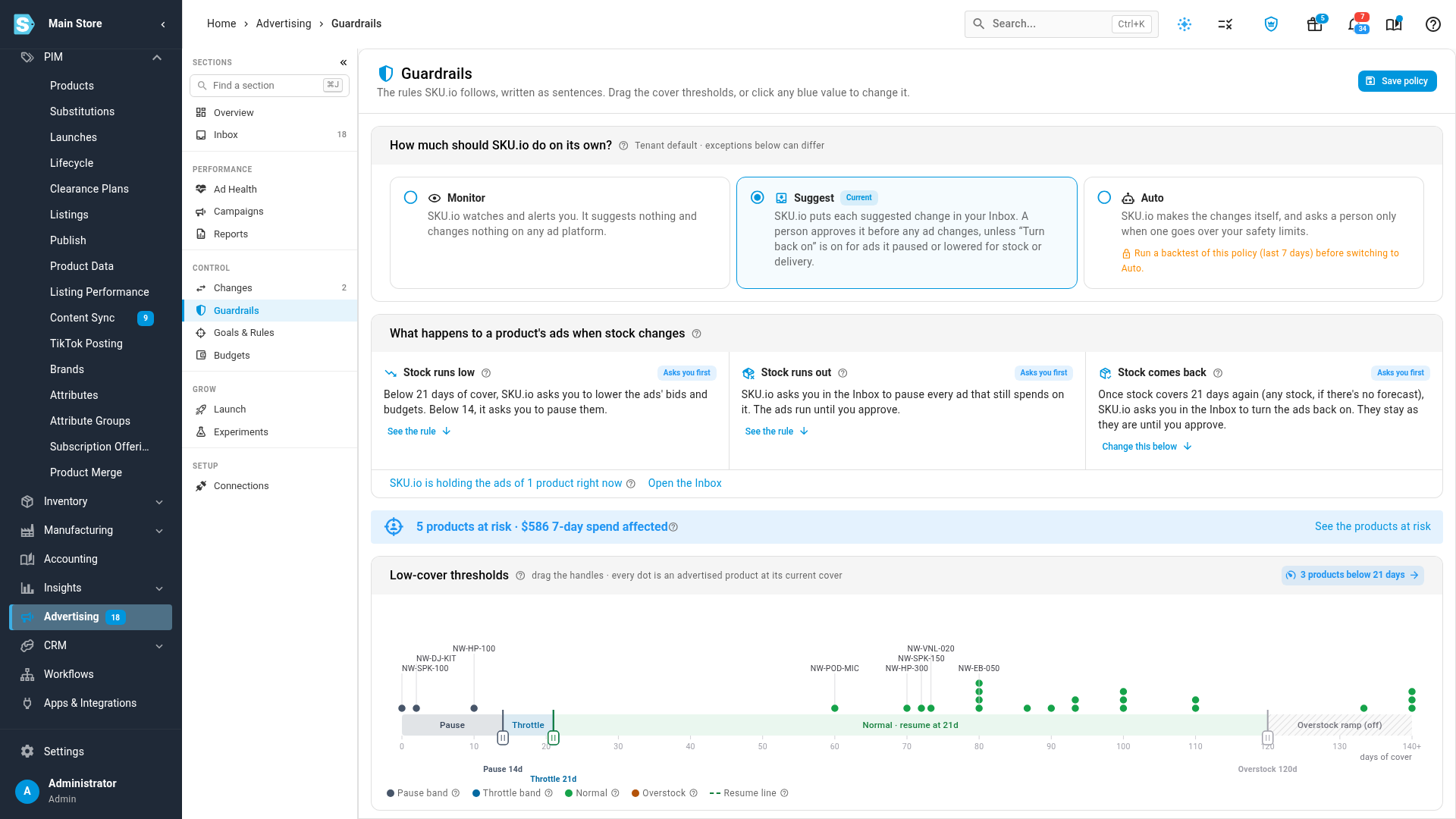
Read What happens to a product's ads when stock changes. Each step says what your settings do: Automatic, Asks you first, Alerts only, or Nothing.
-
Under Stock comes back, click Change this below. The page scrolls to the Turn back on rule.
-
Switch on Turn back on. The rule now says without asking, and Stock comes back changes to Automatic.
-
Click Save policy. Nothing changes until you save.
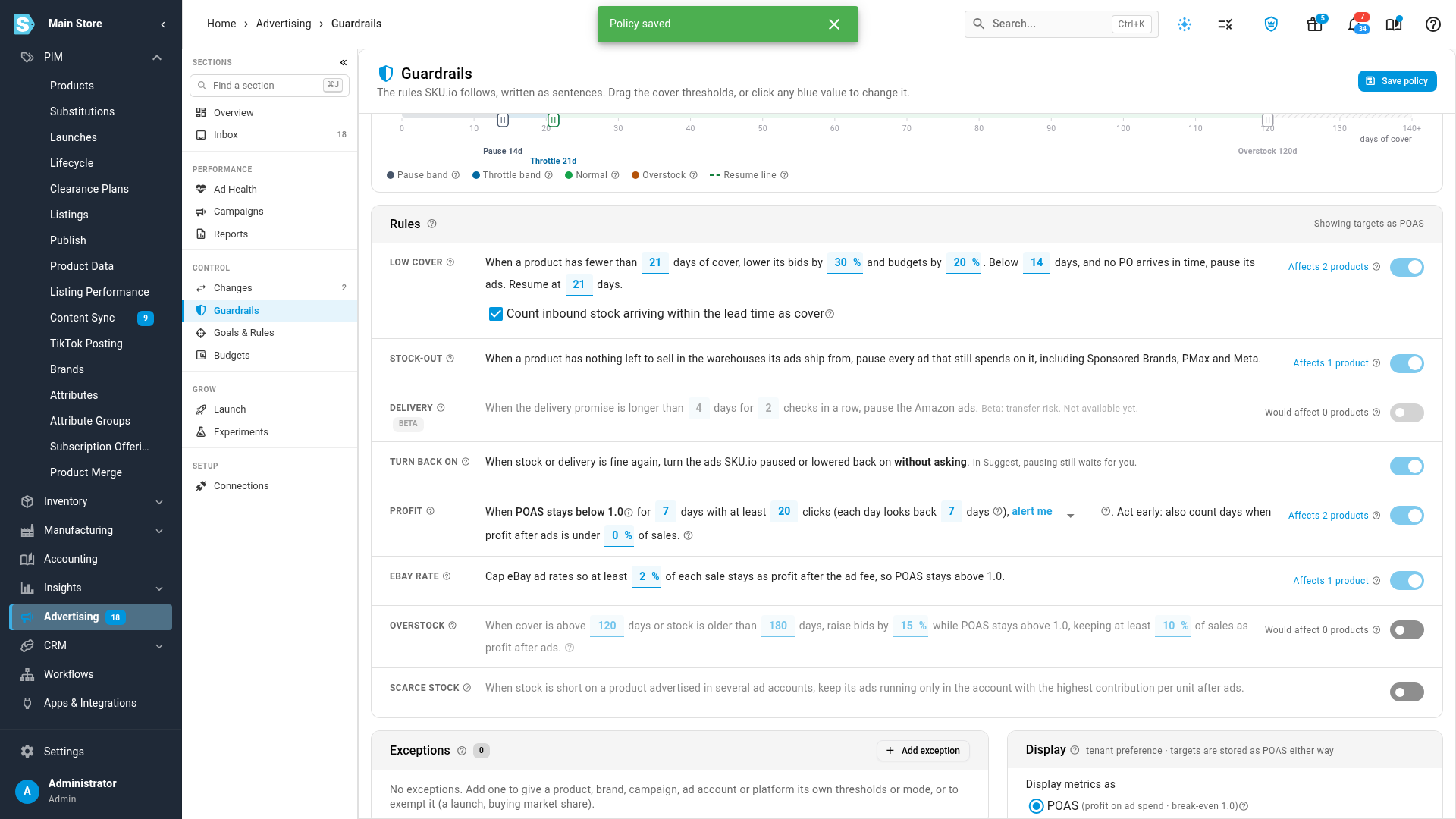
In Suggest, pausing still waits for you. This setting only changes how ads come back.
What each setting does
| Mode | Turn back on | When stock runs out | When stock comes back |
|---|---|---|---|
| Monitor | On or off | Alerts you | Nothing. Ads paused earlier stay paused |
| Suggest | Off | Asks you in the Inbox to pause the ads | Asks you in the Inbox to turn them back on |
| Suggest | On | Asks you in the Inbox to pause the ads | Turns them back on by itself |
| Auto | On or off | Pauses the ads | Turns them back on by itself |
An ad account set to a lower mode on Connections follows its own mode. An exception under Exceptions can also give a product, brand, campaign, account or platform its own setting.
Choose for one decision
- Go to Advertising → Inbox and select a stock decision.
- Under If you approve, use the Turn back on automatically switch. Later shows what happens with the switch as it is now.
- Click Approve. Your choice applies to this pause only.
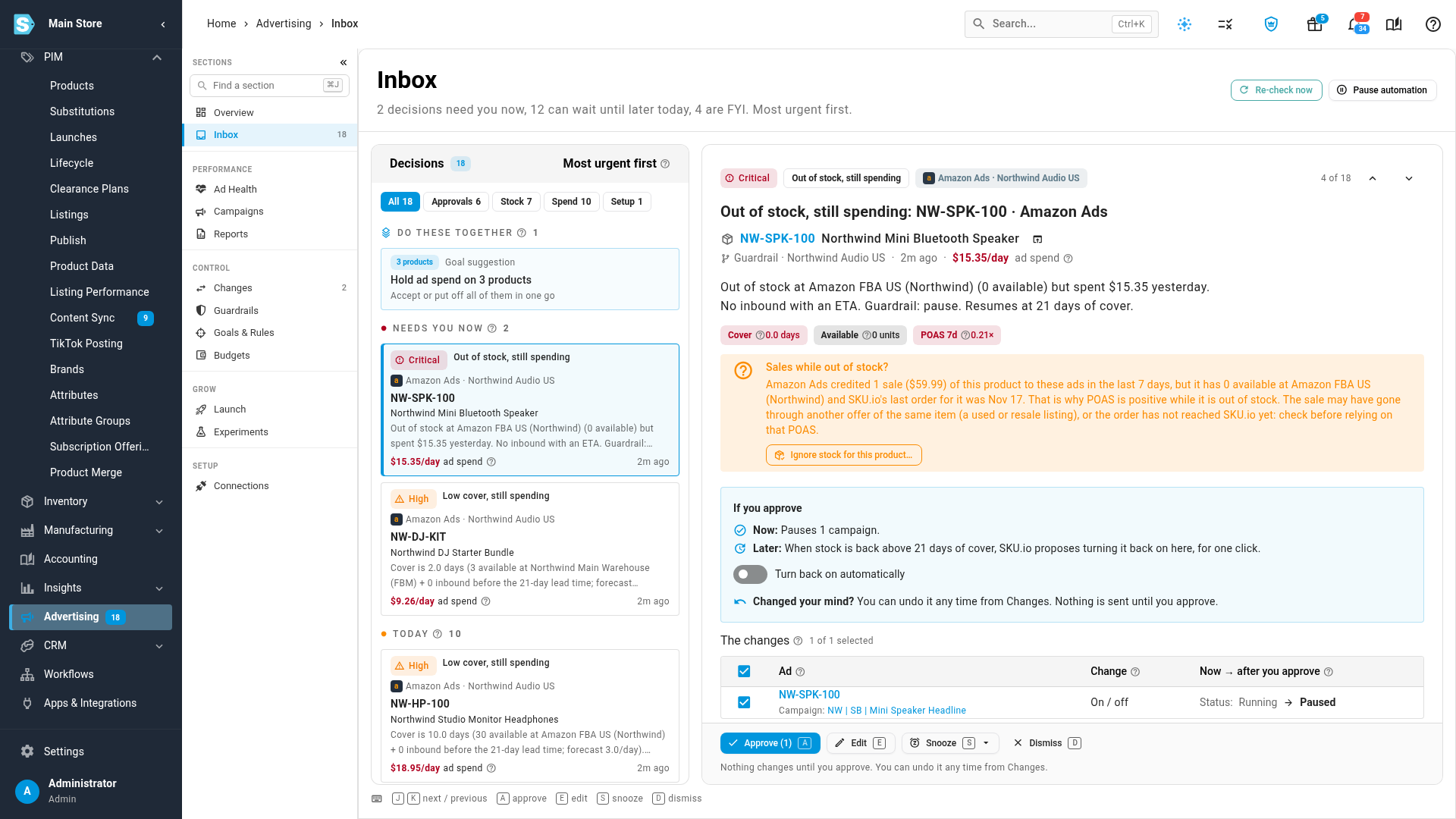
The switch starts on when SKU.io would turn the ads back on by itself, and off when it would ask you. A choice you make here wins over the rule, even in Auto.
See the ads SKU.io is holding, and change your mind
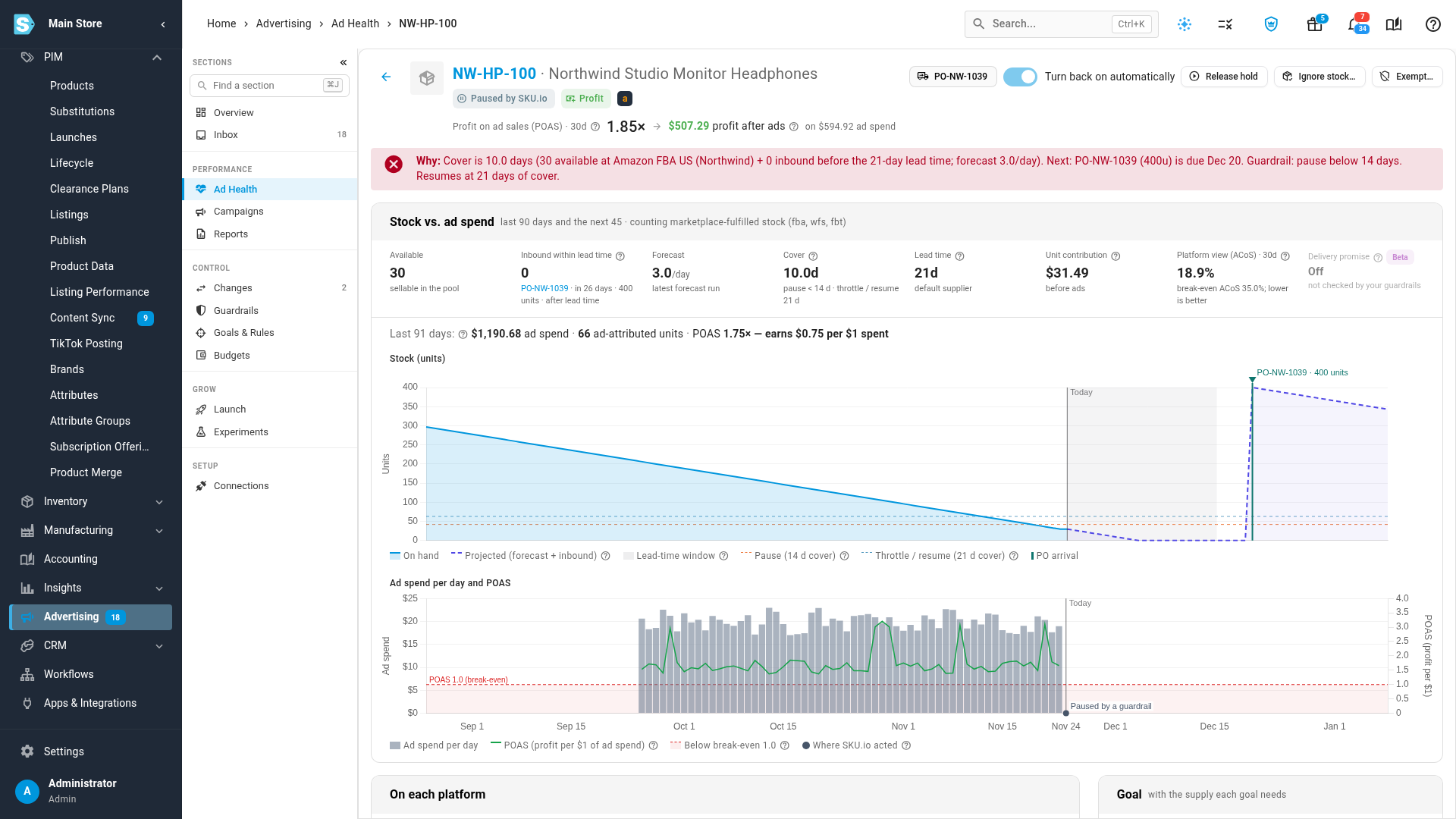
- Go to Advertising → Ad Health and click Held by SKU.io. The link under the stock summary on Guardrails opens the same list.
- Click a product's row to open it.
- Use Turn back on automatically to change what happens when its stock returns. The change applies to every ad SKU.io is holding for stock or delivery on that product.
- To put the ads back now, click Release hold. If stock is still short, a guardrail can hold them again at its next check.
When ads come back
SKU.io turns ads back on, or asks you to, when all of these are true:
- Stock is back. The warehouses the ad ships from have stock, and it covers the Resume at level of the Low cover rule (21 days by default). A product with no forecast only needs stock.
- It stays back. Stock looks right on two checks in a row, so ads don't switch on and off around the line.
- SKU.io is the one that paused or lowered them for stock or delivery. Ads paused by a profit rule, by you, or on the ad platform aren't turned back on.
- Nobody has changed the ad since. SKU.io puts back only what it changed.
- Nothing is holding changes back. Event freezes, safety limits and the kill switch still apply. SKU.io waits for a freeze to end. A change over a safety limit waits for you, and nothing is sent while the kill switch is on.
Common questions
Why didn't an ad come back when stock arrived? Open the product in Ad Health. If its cover is still below the resume level, SKU.io is waiting for more stock. If cover is fine, check the Inbox for a request to turn the ads back on, and check for an event freeze on Guardrails.
Does switching it on affect ads that are already held? Yes, unless you chose differently for that decision or product. Once you save, held ads come back by themselves when their stock returns.
What happens to stock requests already in my Inbox? They still wait for you. The Turn back on automatically switch on each one starts from your saved setting.
Next steps
- Guardrails: the other rules on the page.
- Connect Amazon Ads and attribute spend: bring in an ad account.
Video transcript
When a product runs short of stock, SKU.io can pause its ads. To see what happens to those ads later, open Advertising in the menu. Then choose Guardrails from the list of sections. The summary starts with what SKU.io does when stock runs low. The last step covers when stock comes back to your warehouse. Asks you first means nothing happens without your approval. To change the last step, click Change this below. It jumps to the Turn back on rule, which is off by default. Switch it on, and SKU.io no longer needs your approval. Nothing has changed yet, so click Save policy at the top of the page. You can also choose for one product at a time. To do that, open the Inbox and pick a stock decision from the list. This product sold out while its ad was still spending. The switch starts on, because that's now your default. Switch it off to be asked first, for this pause only. To see which ads SKU.io is holding, go to Ad Health. Click Held by SKU.io to list the products on hold. Click a product's row to open its page, with its stock and ad spend. Here, the same switch lets you change your mind at any time. Or click Release hold to put the ads back now, without waiting for stock. Ads come back when two checks in a row find enough stock. Only the changes that SKU.io made are put back. An ad someone has edited since then is left alone.