Use different accounts for each sales channel
If you split your books by channel — say Cost of Goods Sold - Wholesale for wholesale orders and Cost of Goods Sold - DTC for your online store — you can point each sales channel at its own accounts. Orders from that channel then generate entries against the channel's accounts instead of the company defaults, in SKU.io and in your accounting software.
Before you begin
- Create the accounts you want to split into (for example 5010 - Cost of Goods Sold - DTC and 5020 - Cost of Goods Sold - Wholesale) under Accounting → Settings → Nominal Codes. If you sync to QuickBooks or Xero, make sure each is linked to a provider account — see Map your accounts to QuickBooks Online.
Read the Channel Accounting matrix
-
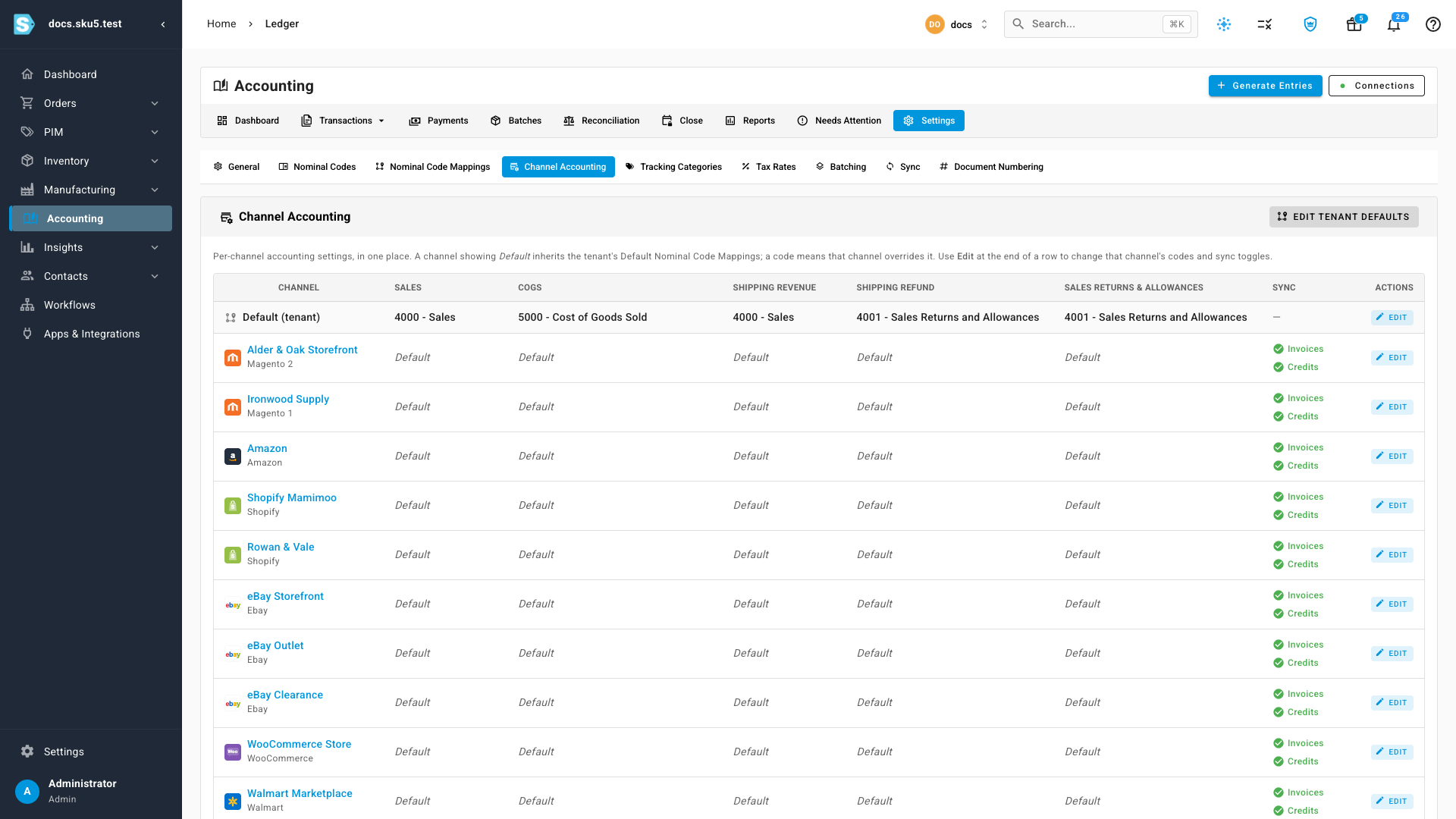
Go to Accounting → Settings → Channel Accounting. Every sales channel is a row; the columns are Sales, COGS, Shipping Revenue, Shipping Refund, and Sales Returns & Allowances.
-
The first row, Default (tenant), shows your company defaults. In a channel's row, Default means the channel inherits that default; an account code means the channel overrides it.

Set a channel's accounts
-
Click Edit at the end of the channel's row.
-
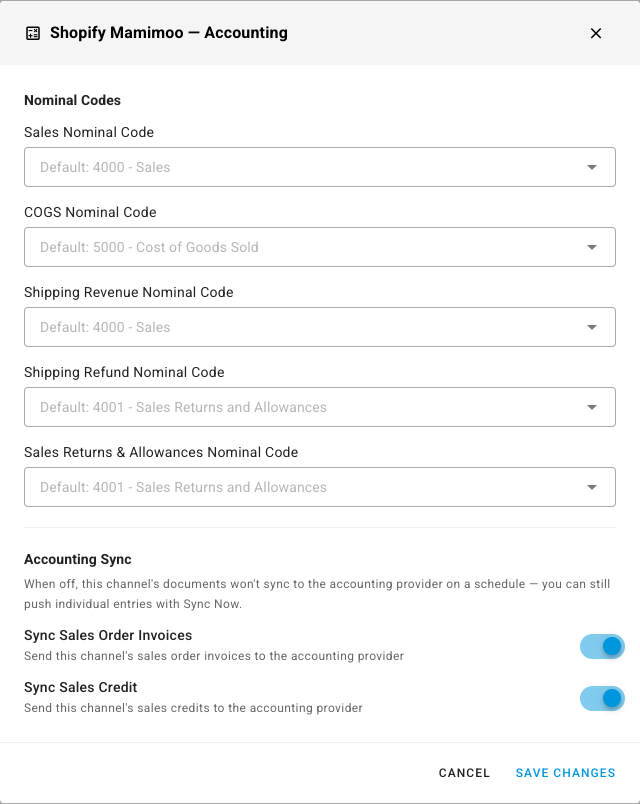
In the dialog, pick the channel's account for each posting — for a wholesale channel, set COGS Nominal Code to your wholesale COGS account. Leave a field empty to keep using the default shown in its placeholder.
-
Click Save Changes. New entries for this channel's orders post to the accounts you chose.
The dialog's Accounting Sync switches control whether this channel's invoices and credits are sent to your accounting provider at all.
Which setting wins
For each entry line, the most specific setting wins:
- A product override (the product's Accounting tab), if set.
- Otherwise the channel override from this matrix, if set.
- Otherwise the company default from Nominal Code Mappings.
Orders created in SKU.io
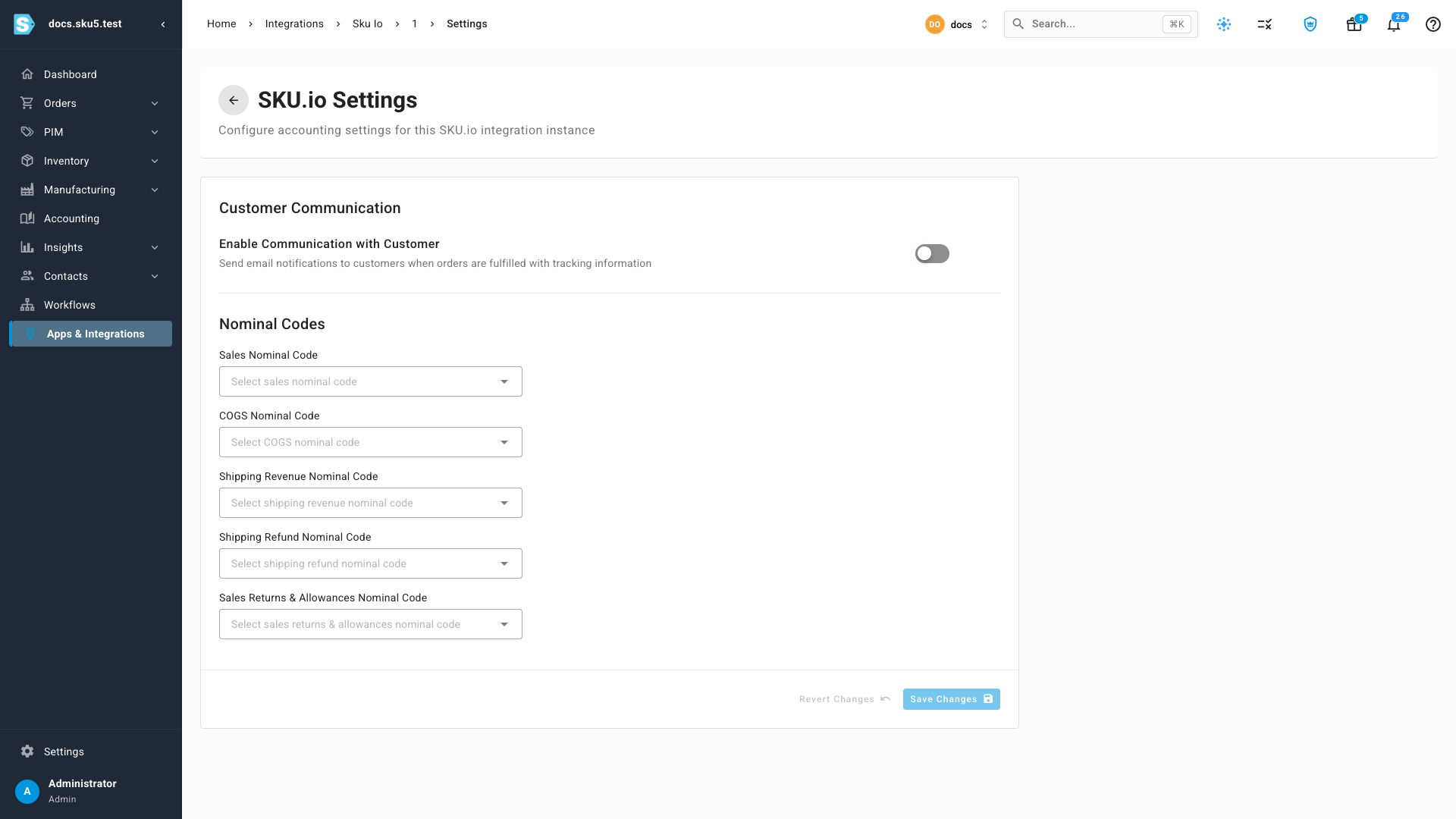
Orders you create manually — and any order that doesn't belong to a connected channel — fall under the built-in SKU.io (internal) channel, the matrix's last row. Its accounts are edited on the SKU.io channel's own settings page (Apps & Integrations → SKU.io → Settings), which offers the same per-channel fields.
Next steps
- How entries are grouped by sales channel — why each channel gets its own summary entries.
- Fix entries posting to the wrong account — when a posting lands somewhere unexpected.
Video transcript
To split your books by channel, open Accounting, Settings, Channel Accounting. Every sales channel is a row. The first row shows your company defaults — and Default in a channel's row means it inherits them. An account code in a row is an override. This wholesale channel already posts its cost of goods sold to a separate wholesale account, so its margin stays separate in your books. To set one, click Edit on the channel's row. Give the store its own COGS account — here, Cost of Goods Sold DTC — and save. From now on, this channel's fulfillments post there instead of the default. Orders your team creates directly — and any order without a connected channel — fall under the internal channel at the bottom of the matrix. Its accounts are set on its own settings page, under Apps and Integrations, with the same per-channel fields.