How entries are grouped by sales channel
If you looked at your synced journals and wondered why there's one entry for Shopify, one for each marketplace, and one labeled SKU.io — this page explains the grouping.
Every entry knows its channel
Each document that generates an entry belongs to a sales channel: an order imported from Shopify belongs to that Shopify store, a fulfillment belongs to its order's channel, and a return belongs to the channel of the order it came back from.
Orders that don't come from a connected channel — orders your team creates in SKU.io, and orders received without a channel — belong to the built-in SKU.io channel. If you see a SKU.io entry in your books, it's the activity your team entered directly, not a leak from another channel.
Summary entries roll up per channel
High-volume postings like fulfillments aren't synced one entry per document. They're rolled into summary entries — one per period, per sales channel, per currency. That's why a month of fulfillments becomes one Shopify entry, one entry per marketplace, and one SKU.io entry: each summarizes only its own channel's documents, so channel-level revenue and cost stay separate in your accounting software.
You can see this on any summary entry: its reference ends with a channel
marker (for example SALES_ORDER_FULFILLMENT-M-2026-07-01-USD-CH1), and its
description counts the documents it covers — "Sales Order Fulfillments for Jul
2026 (11 member documents)".
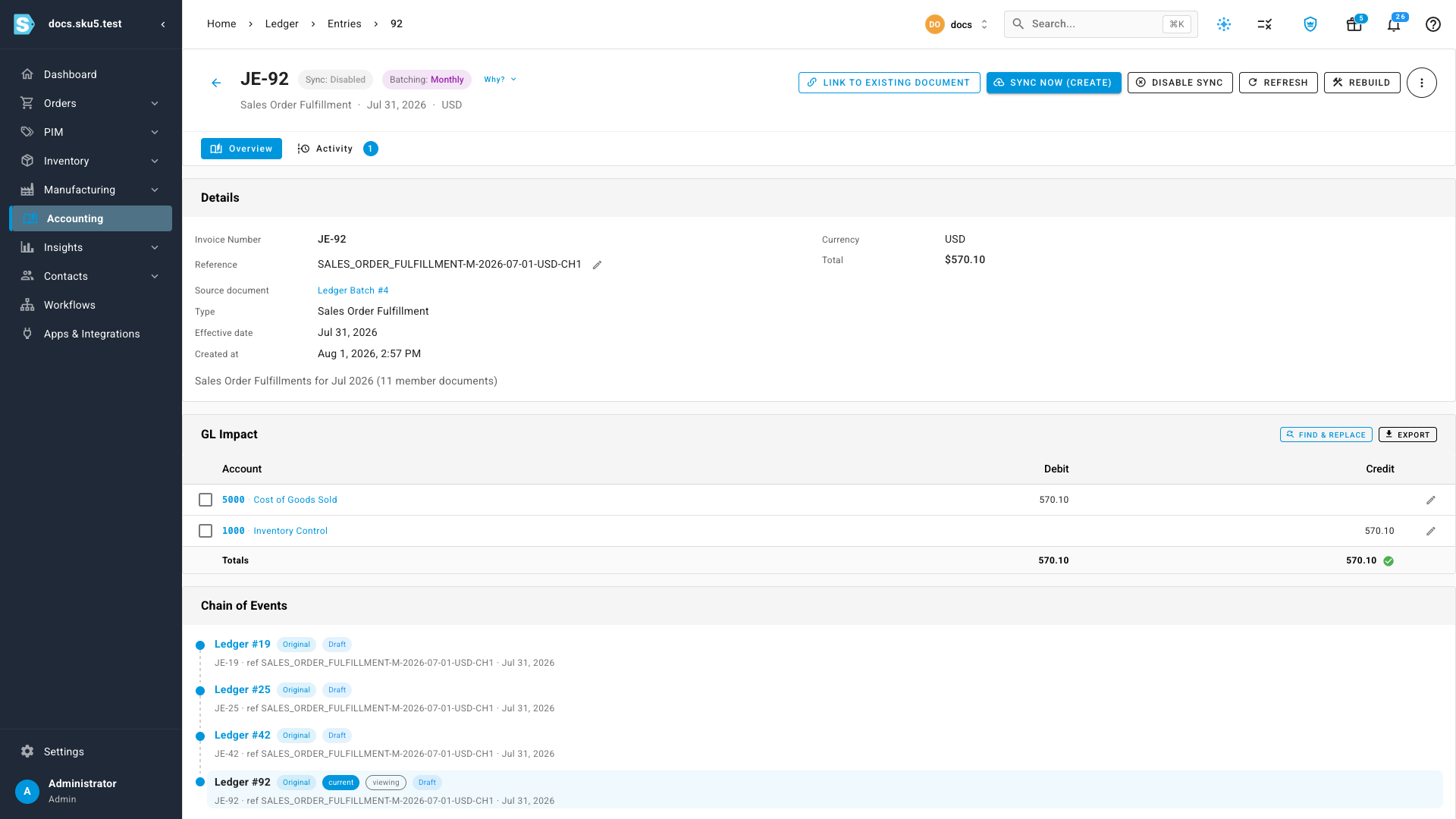
Combined with per-channel accounts, this gives you a true per-channel P&L: each channel's summary entry posts to that channel's own Sales and COGS accounts.
Control the grouping
Go to Accounting → Settings → Batching. The Posting Granularity matrix has one row per entry type and one column per sales channel, plus a Default column:
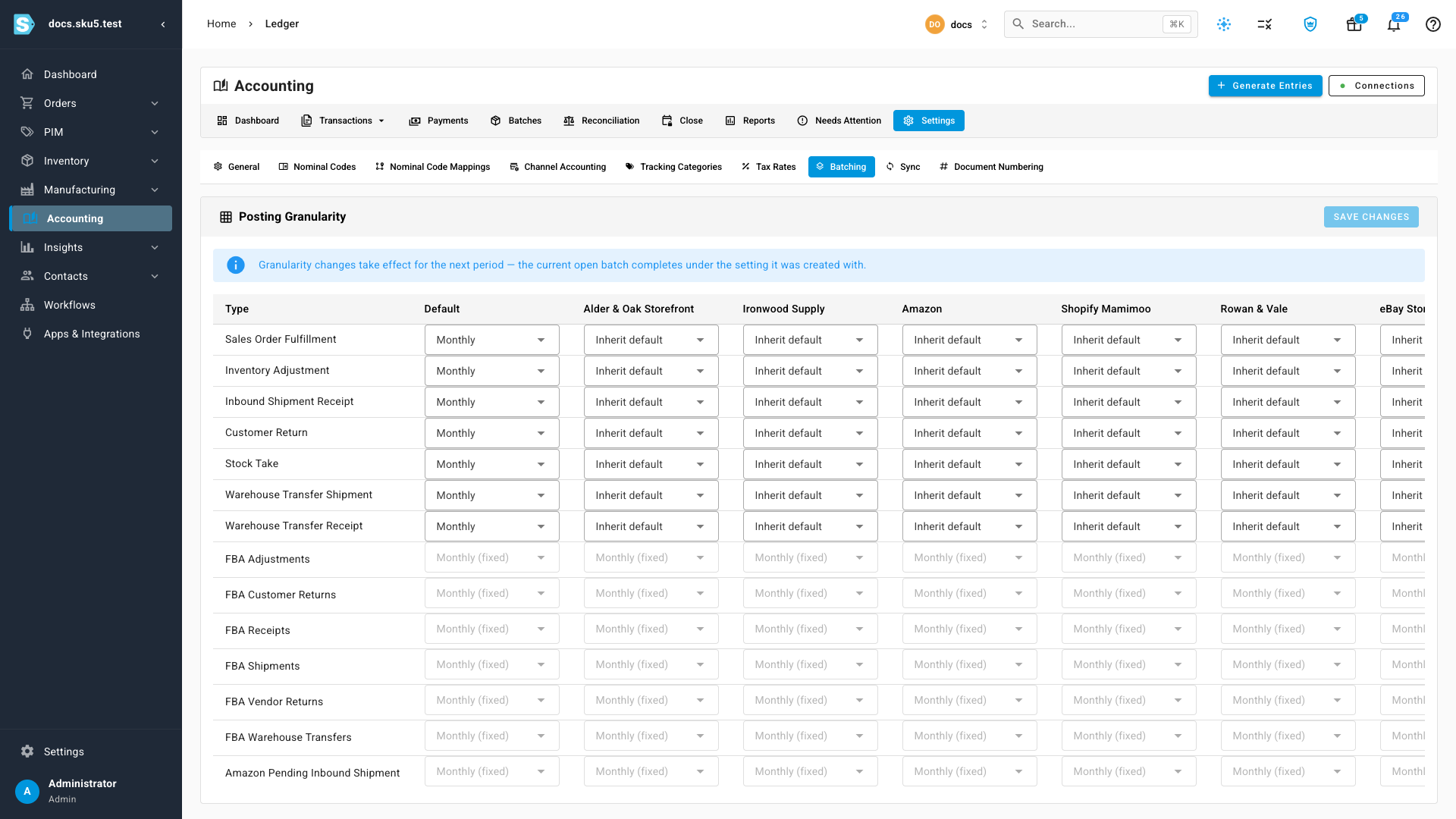
- Per-document — one entry per source document, no summarizing.
- Daily / Monthly — one summary entry per day or month, per channel.
- A channel column set to Inherit default follows the Default column.
Browse the resulting groups under Accounting → Batches, or open any summary entry from Transactions to see the documents behind it.
Syncing the SKU.io channel
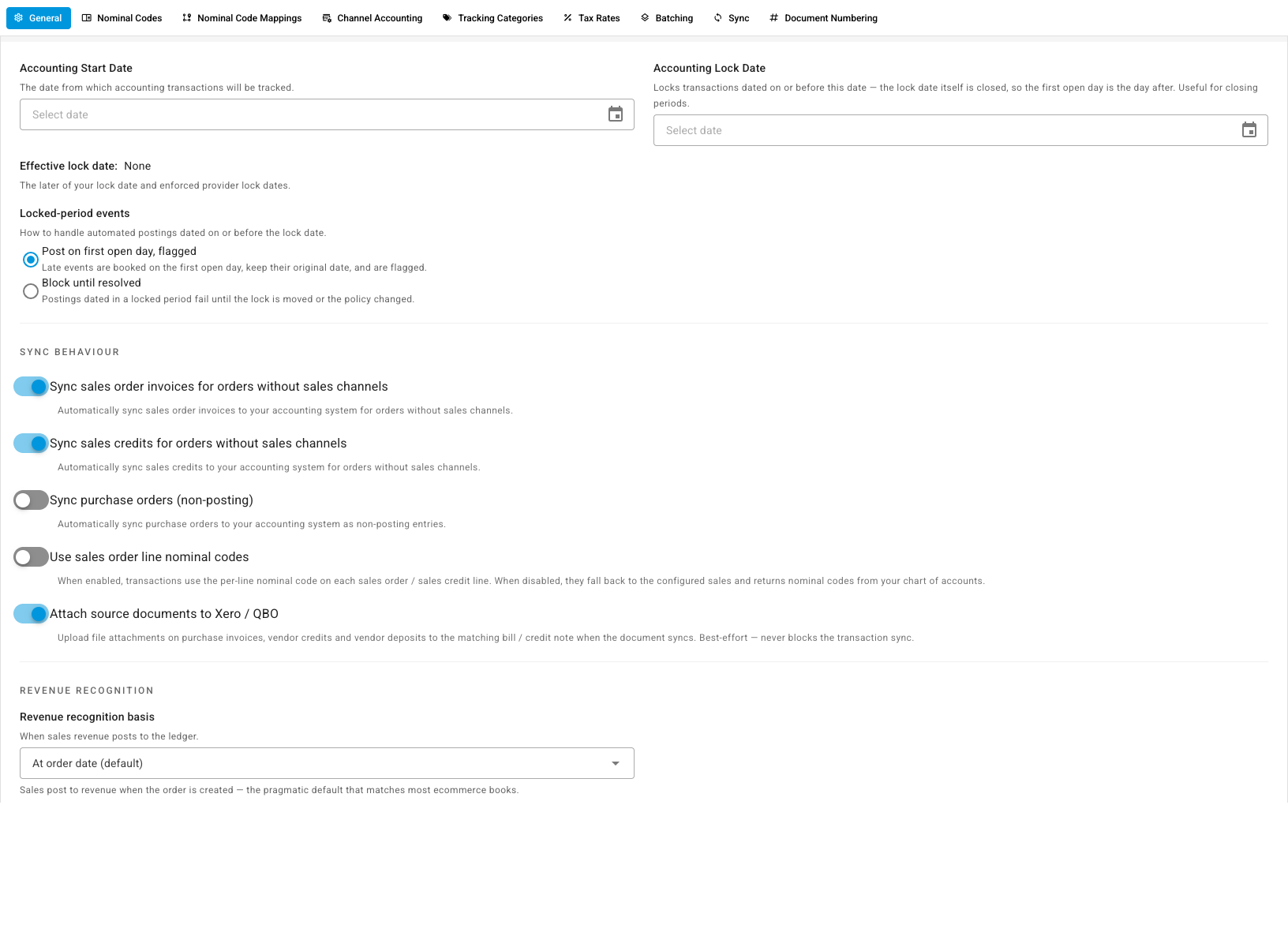
Connected channels each have their own sync switches (see the Sync column in Channel Accounting). The SKU.io channel's equivalents live under Accounting → Settings → General as Sync sales order invoices for orders without sales channels and Sync sales credits for orders without sales channels — turn these off if your directly entered orders shouldn't flow to your accounting provider.
Related
- Use different accounts for each sales channel — point each channel at its own accounts.
- How automatic accounting works — the model behind entry generation.
- Review the ledger — find any entry and read its lines.