Assemble kits to settle inventory debt
A kit holds its own stock. When an order ships a kit and no assembled kits are on the shelf, the shipment goes out below zero and the units are owed back as inventory debt on the kit. Only kit stock can repay that debt. Receiving more components does not, because components are not the kit.
If you ship kits without assembling them first, the components the shipment really used are usually still on the shelf in SKU.io. Assemble to Settle builds the kits from those components, then repays the claims from the new kits. The claims settle at what the components actually cost, and the difference from each claim's estimate posts as the usual settlement variance.
Before you begin
- You need permission to view and change inventory.
- The claims must be Outstanding, and on products set up as kits with their components listed. A claim on any other product is shown in the preview and skipped.
- The components must be in stock at the warehouse the claims are in. Components promised to other orders, on hold or not sellable are not used.
- A kit whose lifecycle state blocks new assemblies is skipped, as it would be on the Assemblies page.
Steps
-
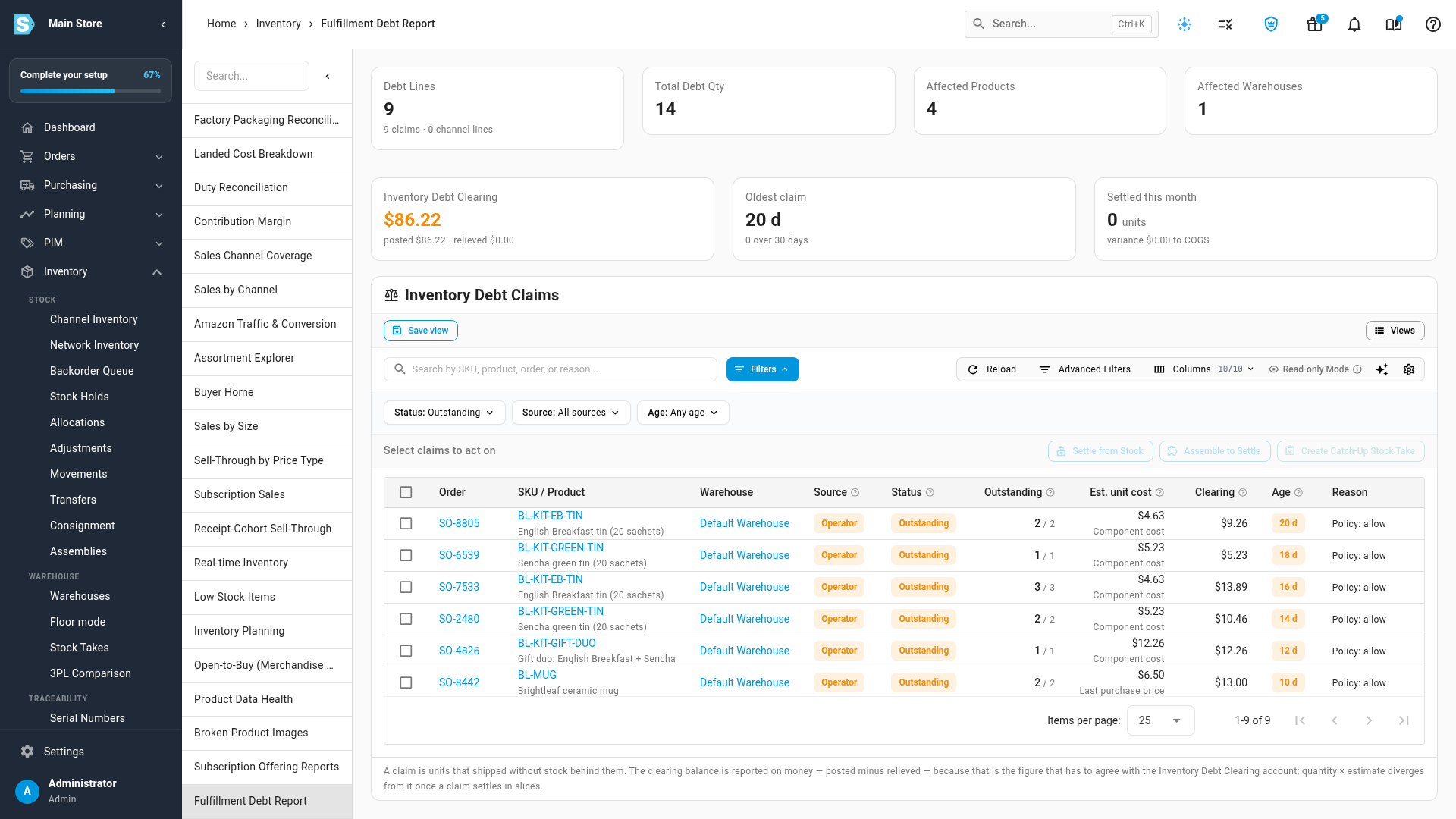
Go to Inventory → Fulfillment Debt. In the Inventory Debt Claims table, leave the Status filter on Outstanding. A kit with no cost of its own shows Component cost under Est. unit cost: SKU.io estimated it by adding up what its components cost (see What a debt shipment costs).
-
Select the kit claims you want to repay. The bar above the table counts your selection.
-
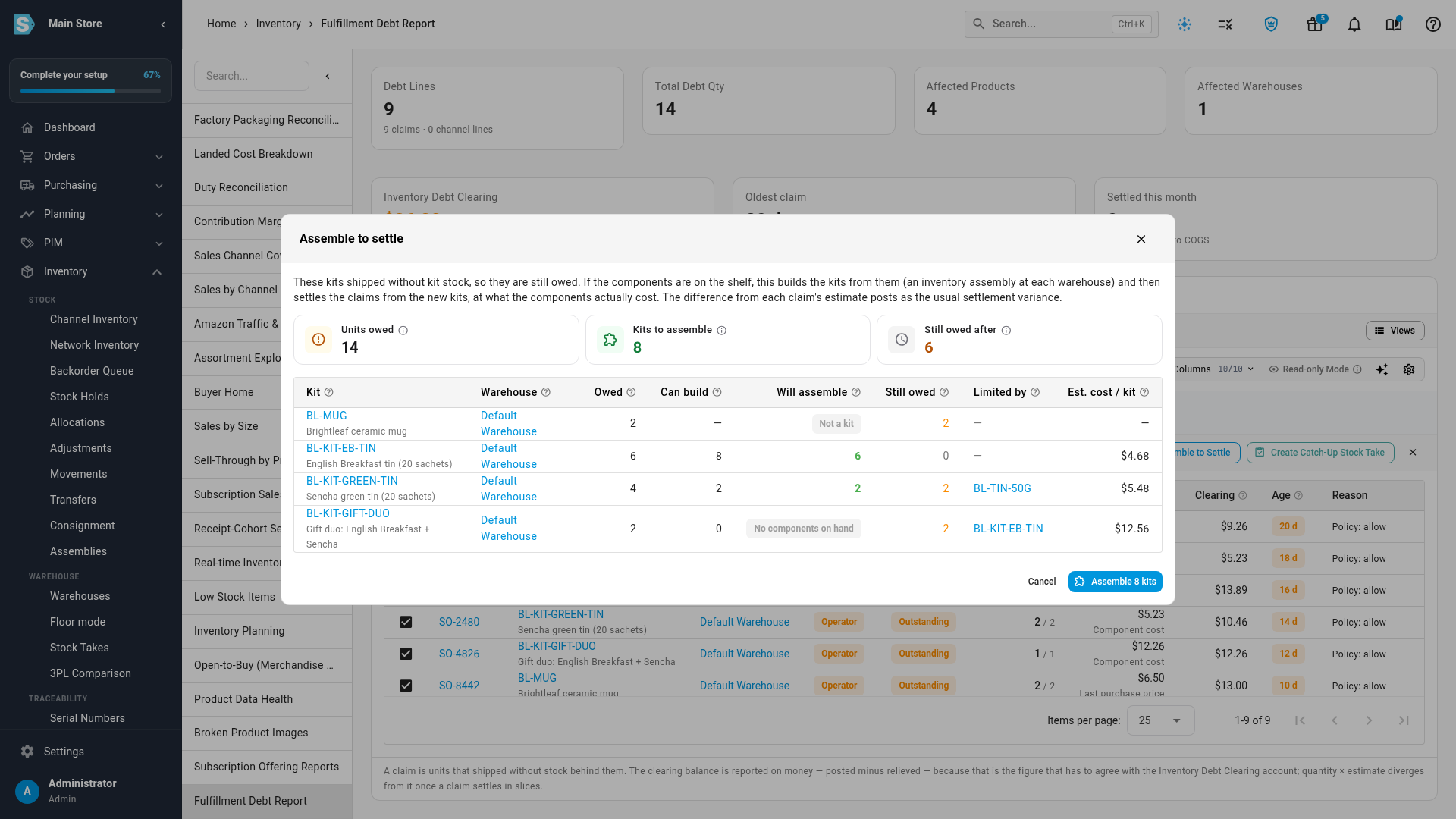
Click Assemble to Settle. The Assemble to settle preview opens. Nothing is built yet.
-
Read the three figures across the top:
- Units owed: the units owed across the kits you picked.
- Kits to assemble: the kits this run will build. Each one repays one owed unit.
- Still owed after: the units that stay owed because the components run out. They settle later, when stock arrives.
-
Read each row. There is one row for each kit at each warehouse:
Column What it tells you Owed Units still owed for this kit at this warehouse, up to and including the newest claim you picked. Claims repay oldest first, so older claims are repaid ahead of the ones you selected. Can build How many kits the components on hand at this warehouse can make. For each component, the quantity available is divided by the quantity per kit, and the lowest wins. Will assemble The kits this run builds: what is owed, less any kit stock already on the shelf, capped at what the components can build. Still owed Units that stay owed after this run. Limited by The component that runs out first. It links to the product. Est. cost / kit What each kit should cost from today's component stock. The assembly uses the oldest stock first, so the actual cost can differ slightly. Kits that use the same component share its stock. In the example, eight tins cover all six of one kit, and the second kit gets the last two.
-
Check any row that builds nothing. Its Will assemble cell carries a grey chip that says why. Hover it for the full reason:
Chip Why nothing is built Not a kit The product isn't a kit, so there is nothing to assemble it from. No components set up The kit has no components listed. No components on hand Not enough of the limiting component is at this warehouse to build even one kit. Kit stock on hand Kit stock already on the shelf covers what is owed. Use Settle from Stock instead. Period locked The shipments are in a locked inventory period. They can't be settled until the period reopens. Assemblies blocked The kit's lifecycle state blocks new assemblies. -
Click the Assemble button at the bottom of the preview. It names the number of kits it will build, for example Assemble 8 kits. When nothing in your selection can be built, the button is greyed out and its tooltip says so.
SKU.io builds the kits, one inventory assembly for each kit and warehouse, and then settles your claims from them. It never builds more kits than the preview showed, even if more stock arrives while the preview is open.
-
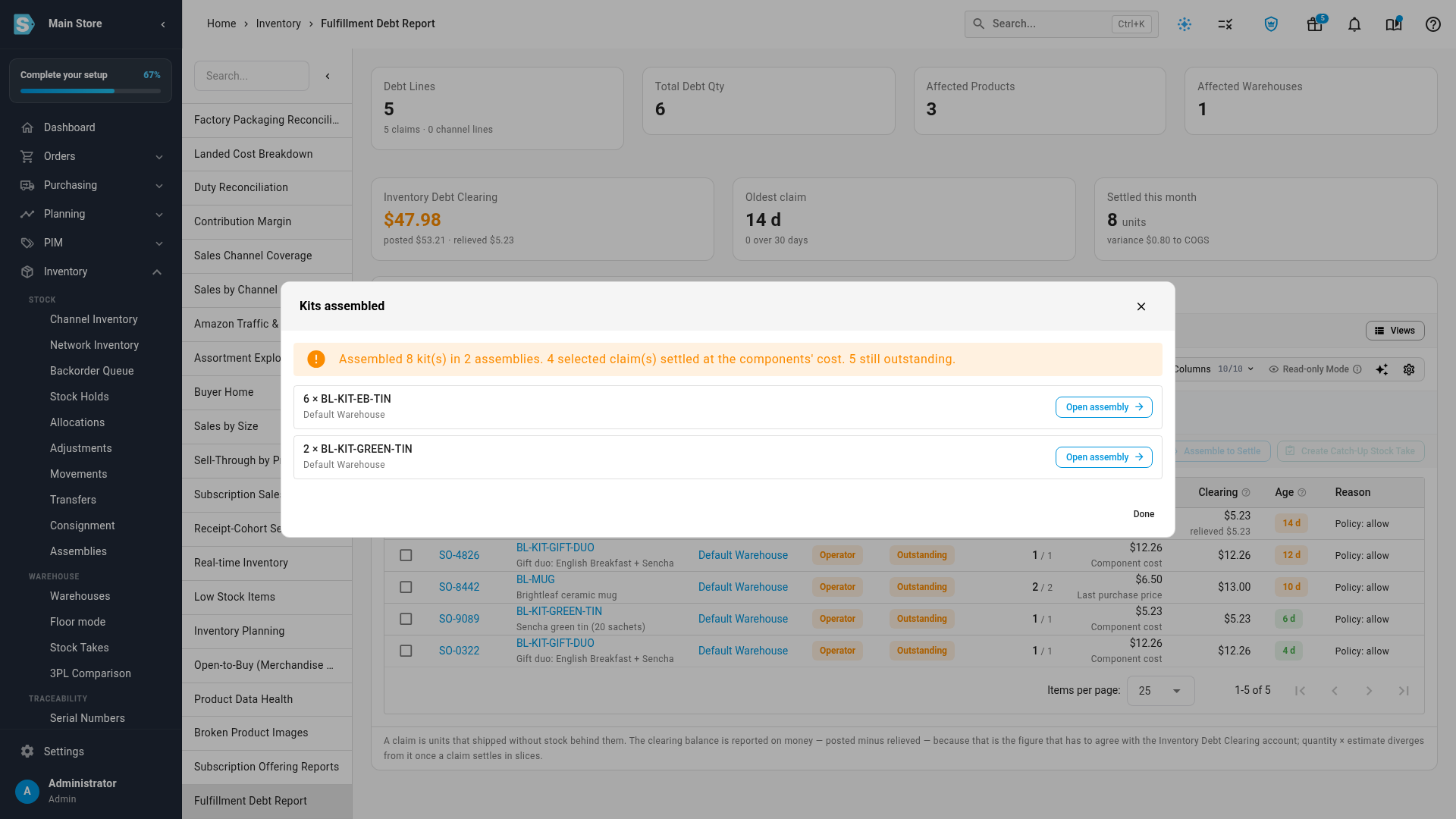
The title changes to Kits assembled, with a summary such as Assembled 8 kit(s) in 2 assemblies. 4 selected claim(s) settled at the components' cost. 5 still outstanding. Each assembly is listed with its kit, quantity and warehouse, beside an Open assembly button.
-
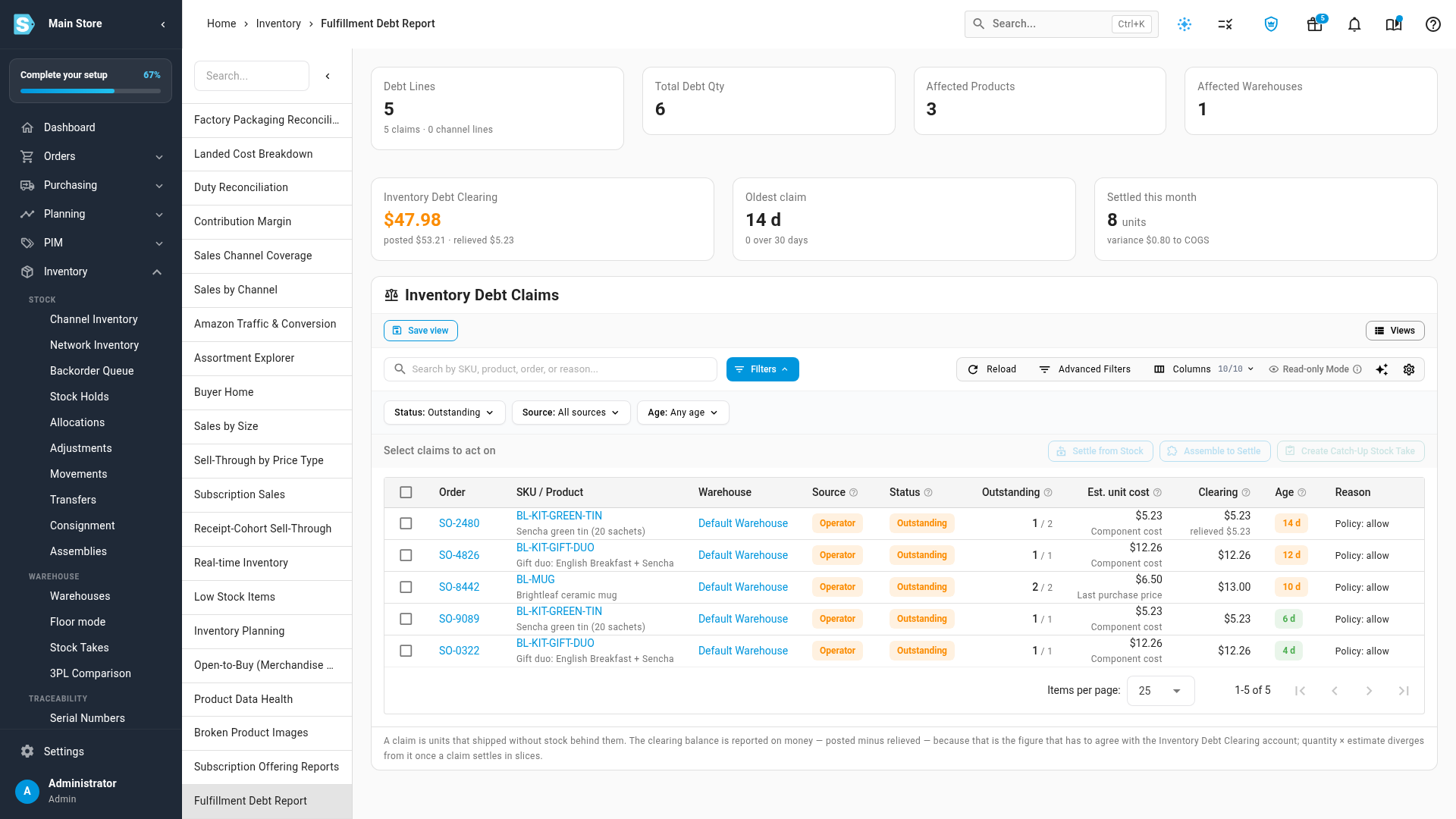
Click Done. The table refreshes. Repaid claims leave the Outstanding list. A claim that was only partly repaid stays outstanding with what is left.
What the assembly does, and doesn't, do
- It uses up real components. Each assembly takes its components off the shelf at their actual cost, oldest stock first, exactly as an assembly you create on the Assemblies page does. The new kits land at that cost and repay the claims.
- It runs once per click. If someone else starts Assemble to Settle at the same moment, the second run is turned away with Another Assemble to Settle is already running. Try again in a moment.
- It stops before a run gets too long. A large selection may build only part of the plan in one go. The summary then says how many kits were not started; run Assemble to Settle again for the rest.
- It never builds kits nobody owes. The plan is checked again at the moment you click, so a claim repaid in the meantime gets no kits.
- It doesn't change your estimates. Claims keep the estimate they were raised at. The settlement records the real cost and posts the difference as variance, as any settlement does.